
Store APIs
Connect the WooCommerce API
Connect the WooCommerce API to track returns, refunds and order details.
Connecting the WooCommerce back-end integration enables tracking of returns, refunds, voided payments, and draft orders. It also double-checks our data, so you can be sure the ThoughtMetric data is accurate.
-
Log in to the WordPress admin page.
-
Open the REST API settings
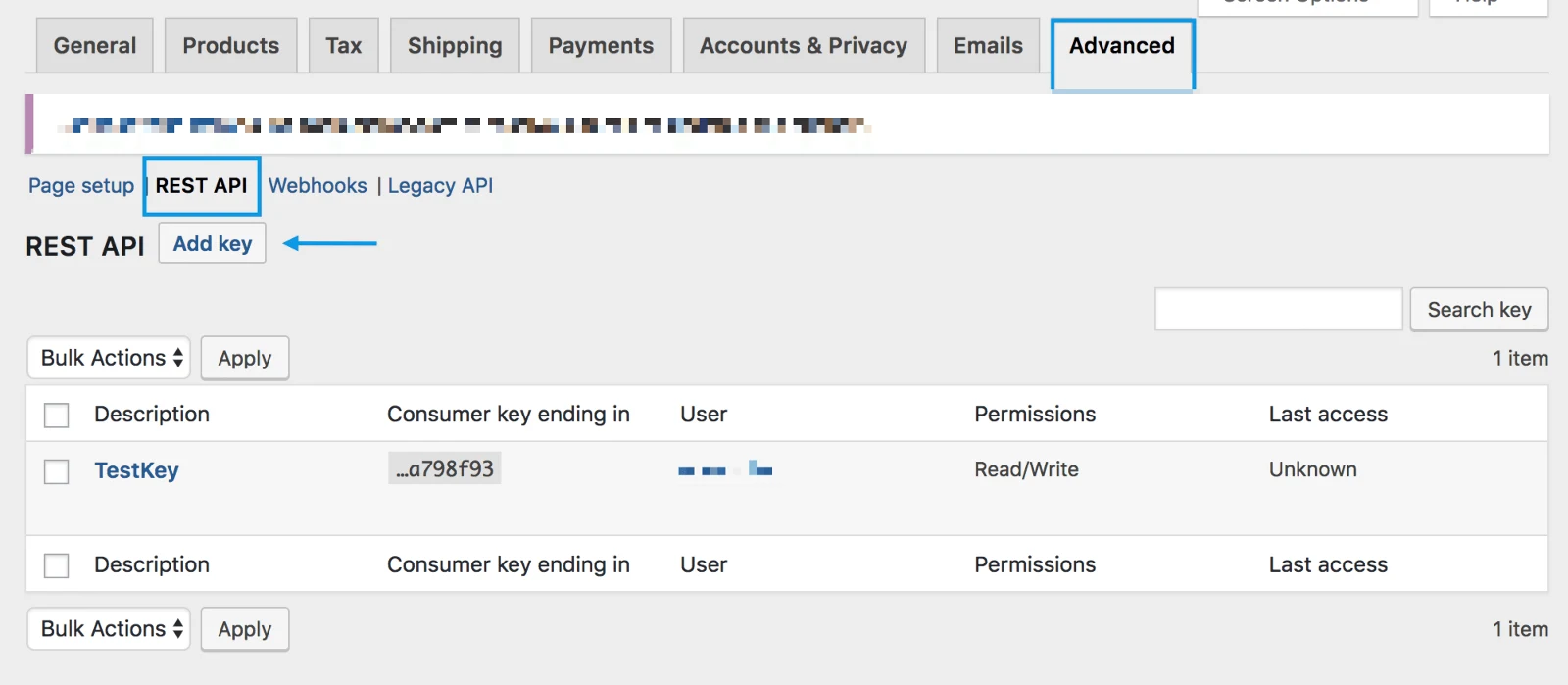
Go to WooCommerce → Settings → Advanced → REST API.
-
Add a key
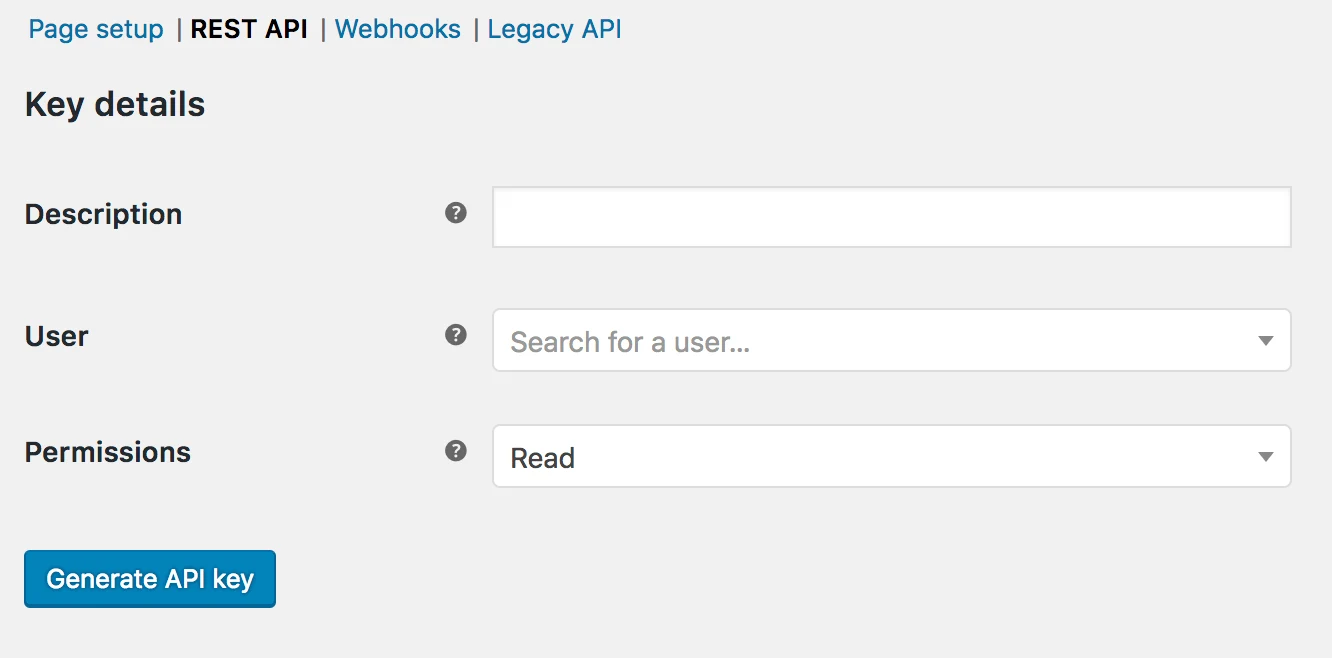
Select Add Key. You are taken to the Key Details screen.
-
In the description box, enter "ThoughtMetric".
-
In the user selection box, select your user account.
-
In the Permissions box, select Read access.
-
Generate the API key
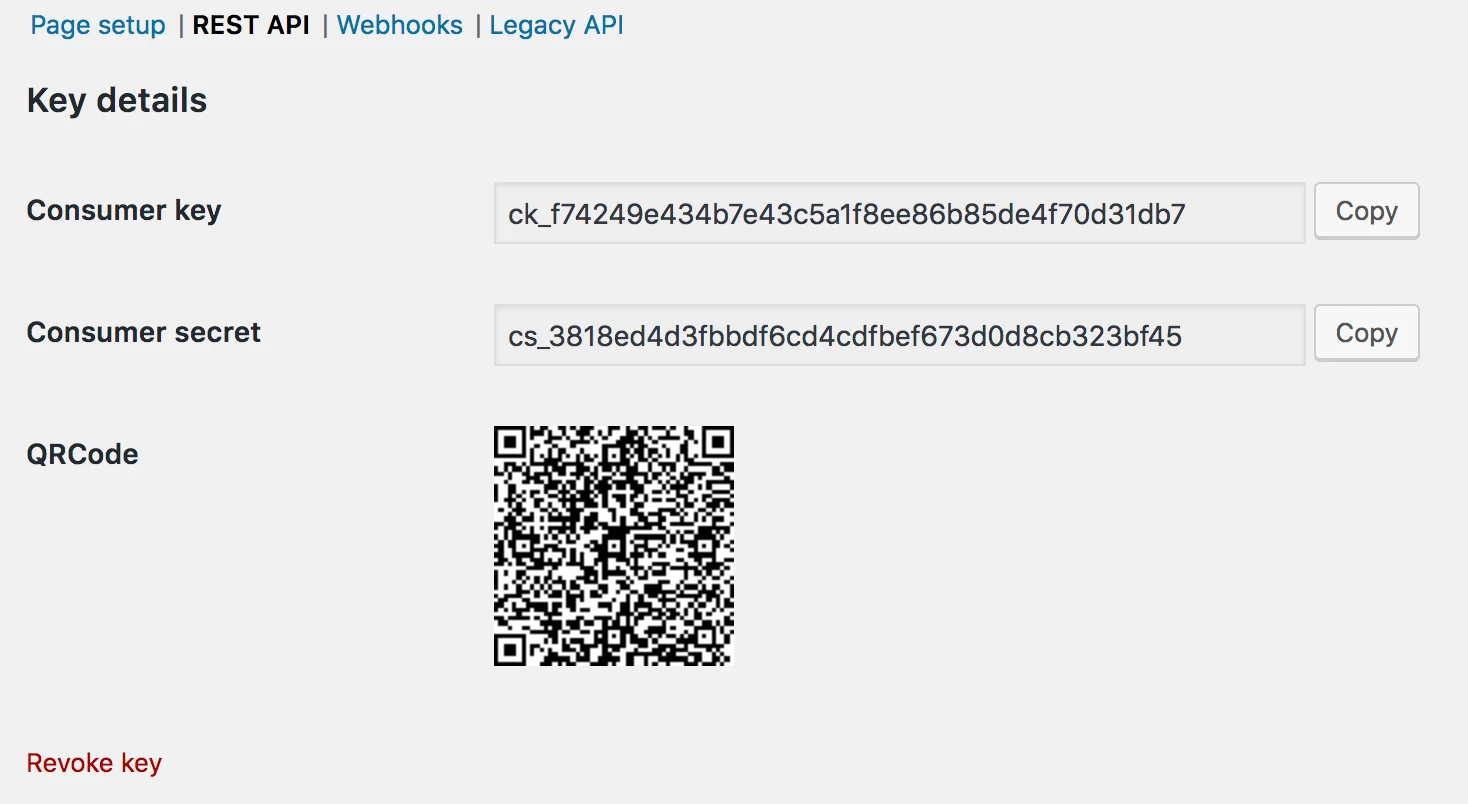
Select Generate API Key. You should see the Consumer Key and Consumer Secret keys.
-
Open the WooCommerce API connection in ThoughtMetric
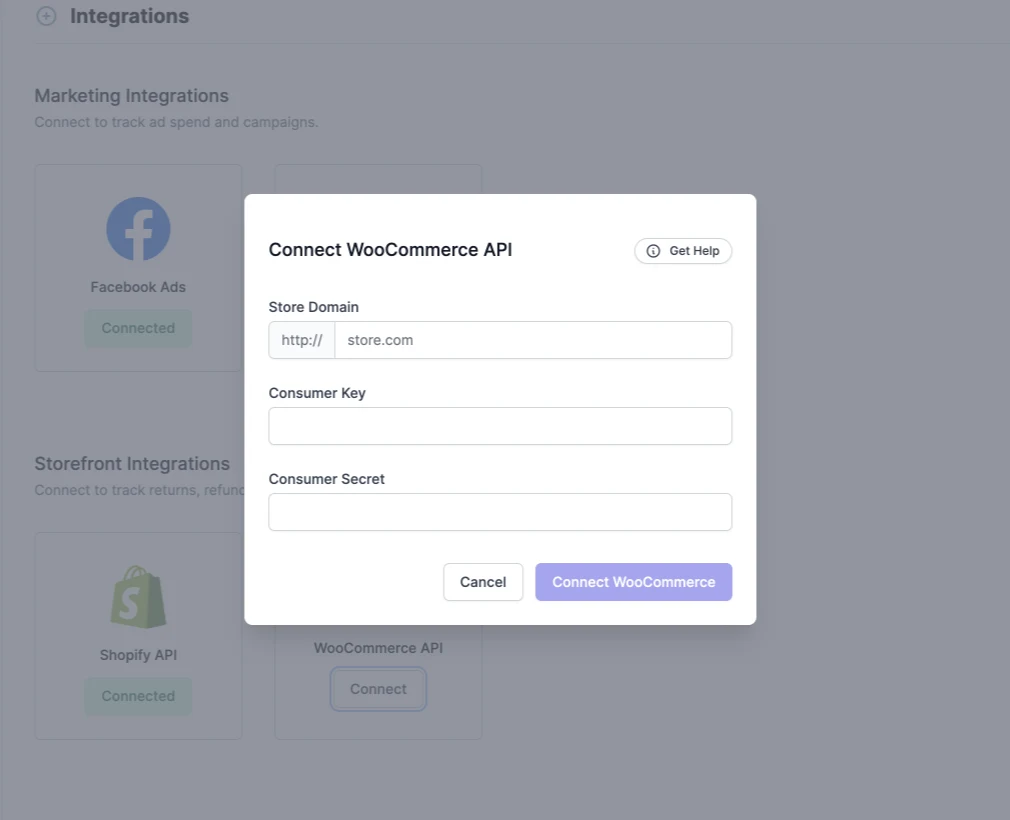
In ThoughtMetric, navigate to the Integrations page and scroll down to the WooCommerce API Connection section.
-
Enter the Consumer Key and Consumer Secret that you generated earlier.
-
Enter the domain name of your store.
-
Click Connect WooCommerce.
You might also need to allowlist the following IP addresses in any firewalls or Cloudflare installations you have: 34.150.141.41 and 35.245.88.190.