Ad platforms
Connect TikTok Ads
Sync ad spend and campaign performance from TikTok Ads.
Connect the TikTok Ads integration to track your spend, ROI, and campaign performance.
Connect your TikTok Ads account
-
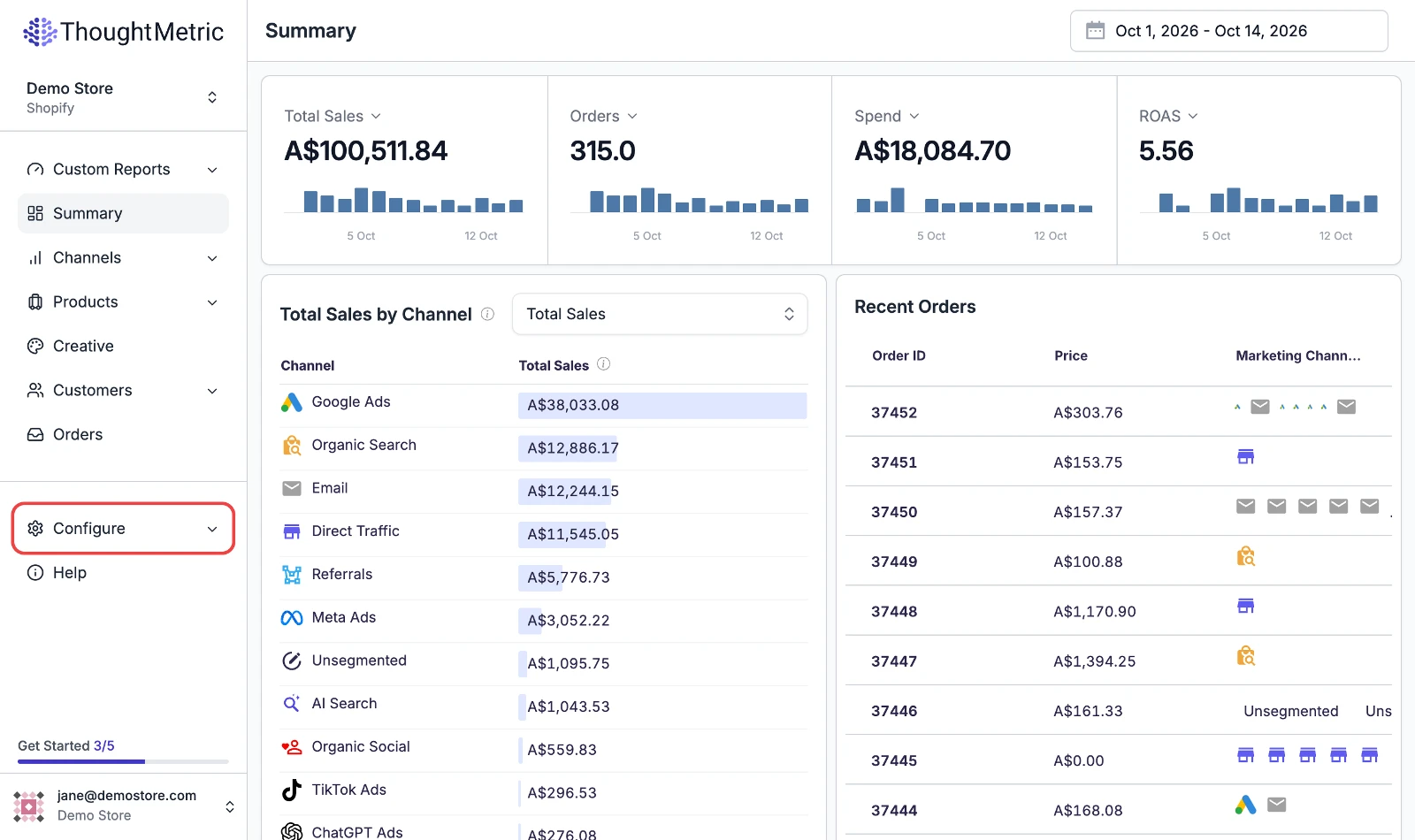
Open Configure
Navigate to Configure in the left-side navigation menu.
-
Start the TikTok Ads connection
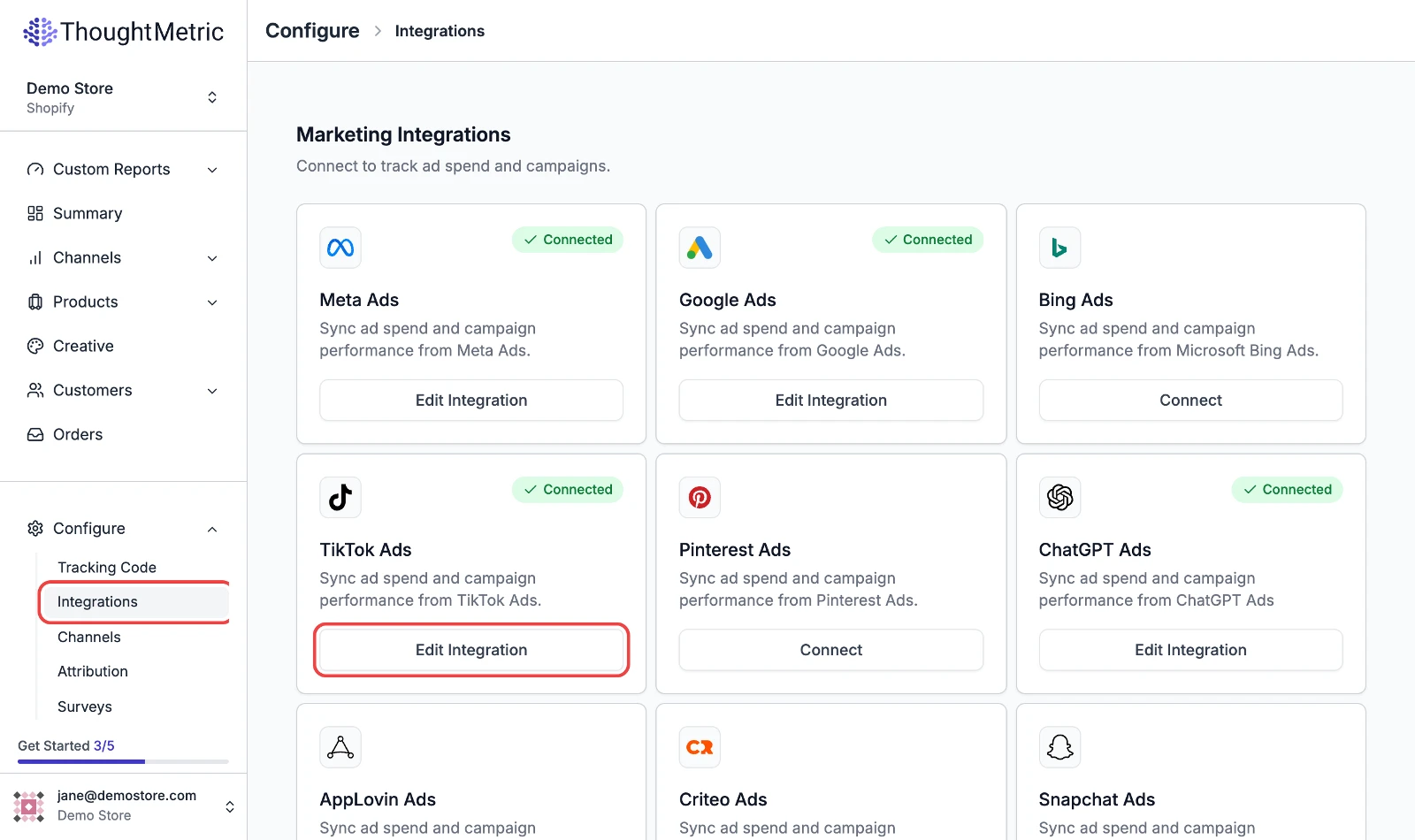
Select Integrations and then click Connect on the TikTok Ads card. If an account is already connected, the button reads Edit Integration.
-
Allow all permissions
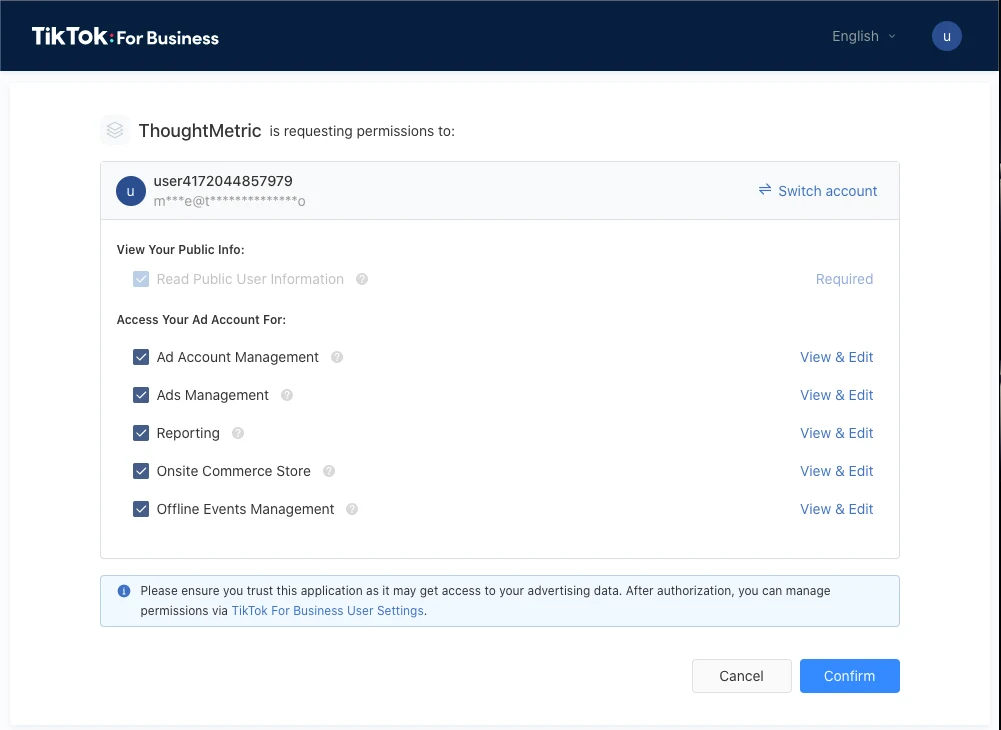
A TikTok popup appears, asking you to give ThoughtMetric permission to access your TikTok Ads account. It is very important that you allow all the permissions.
-
After you click Allow, you are redirected back to ThoughtMetric, where a popup asks which TikTok Ads account to connect.
-
Once you have successfully integrated with TikTok Ads, the integration shows as Connected.
Add tracking parameters to your ads
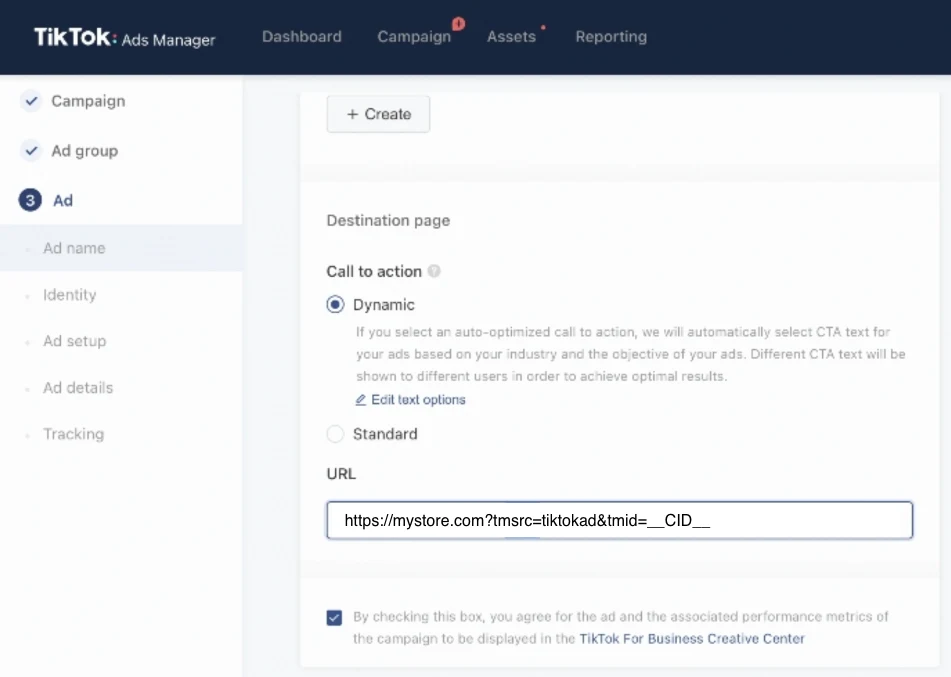
For the most accurate tracking of TikTok Ads, place the ThoughtMetric tracking parameter on your TikTok Ads.
ThoughtMetric TikTok Ads tracking parameter:
tmsrc=tiktokad&tmid=__CID__To use the tracking parameters on TikTok, update the URL in the Destination page section of the ad settings. Append the click-through URL parameters to your landing page URLs at the ad level.