AI assistants
Connect ThoughtMetric to Claude
Talk to your ThoughtMetric data from Claude through MCP.
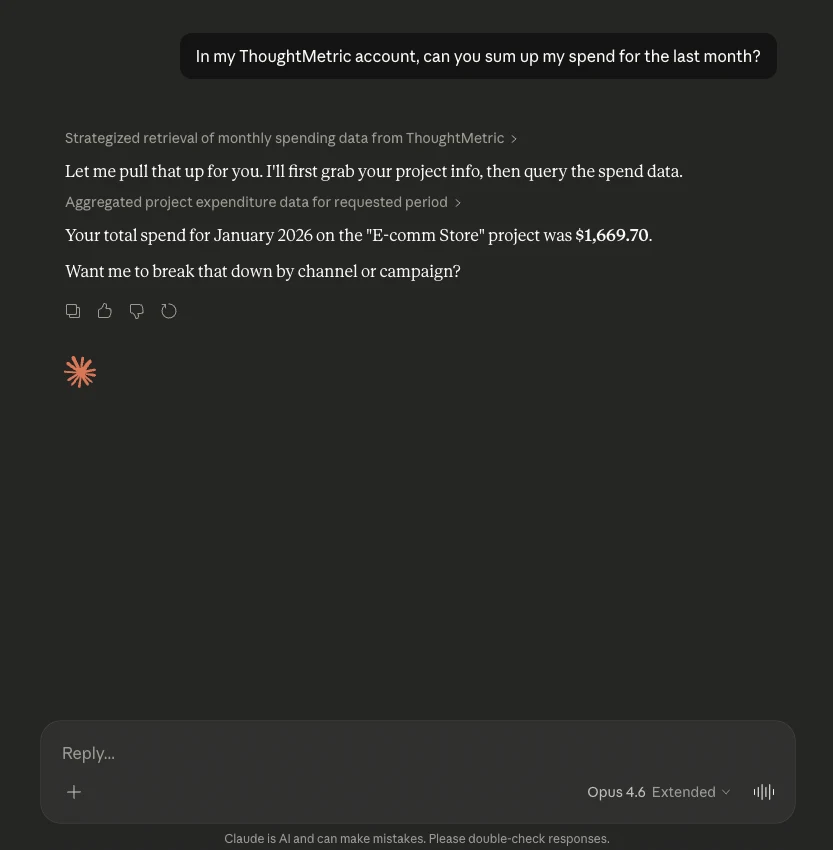
ThoughtMetric integrates directly with Claude through the Model Context Protocol (MCP), so you can query your marketing attribution data, sales metrics, and advertising performance in natural language, right from the Claude chat interface. Once connected, you can ask Claude questions like "What were my sales by channel last week?" or "Show me my top campaigns by ROAS" and get instant answers pulled from your ThoughtMetric data.
Prerequisites
Before getting started, you need:
- A paid Claude account (Pro, Team, or Enterprise). MCP connectors are not available on the free tier.
- An active ThoughtMetric account with at least one project set up and receiving data.
Set up the connector
-
Find the ThoughtMetric connector in the Claude connector directory
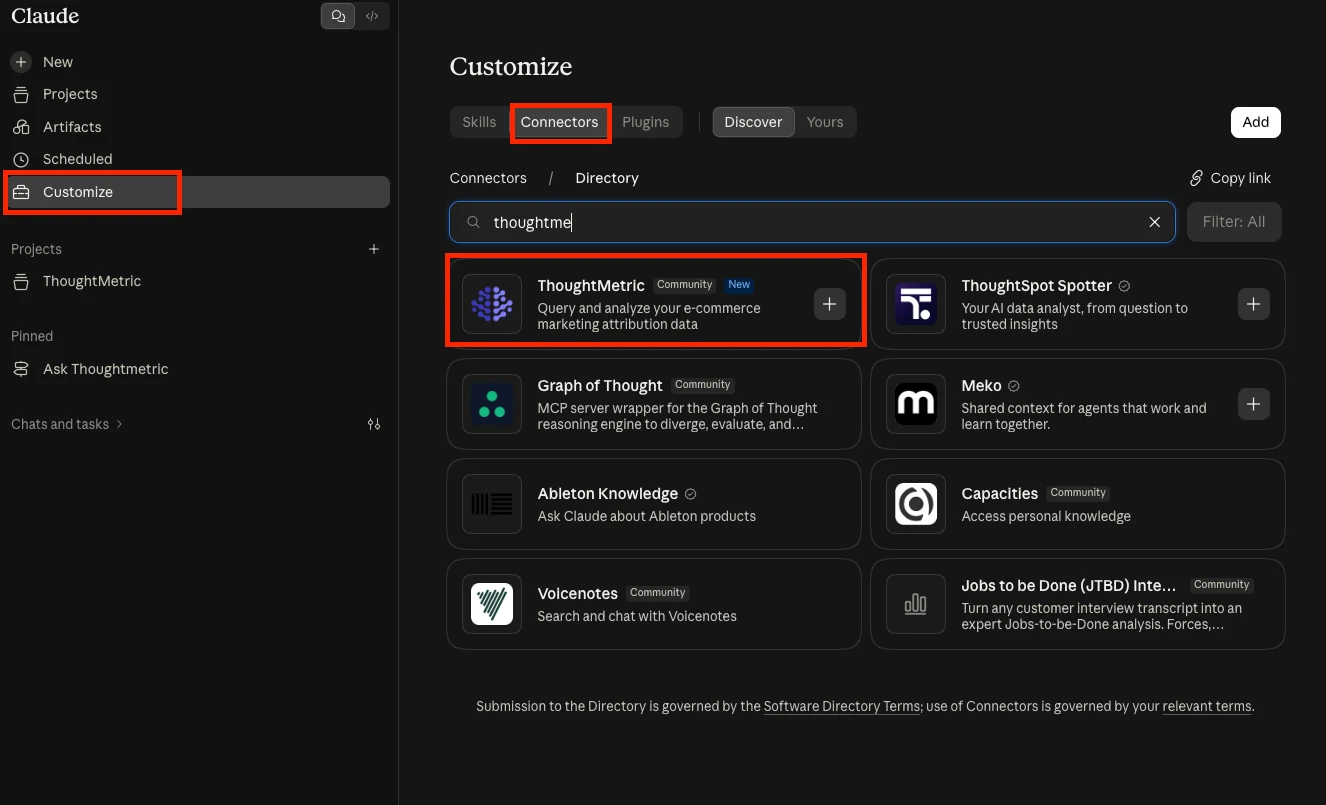
Log in to Claude and click Customize on the left-hand side. Search for ThoughtMetric in the connector directory.
-
Enable the ThoughtMetric connector
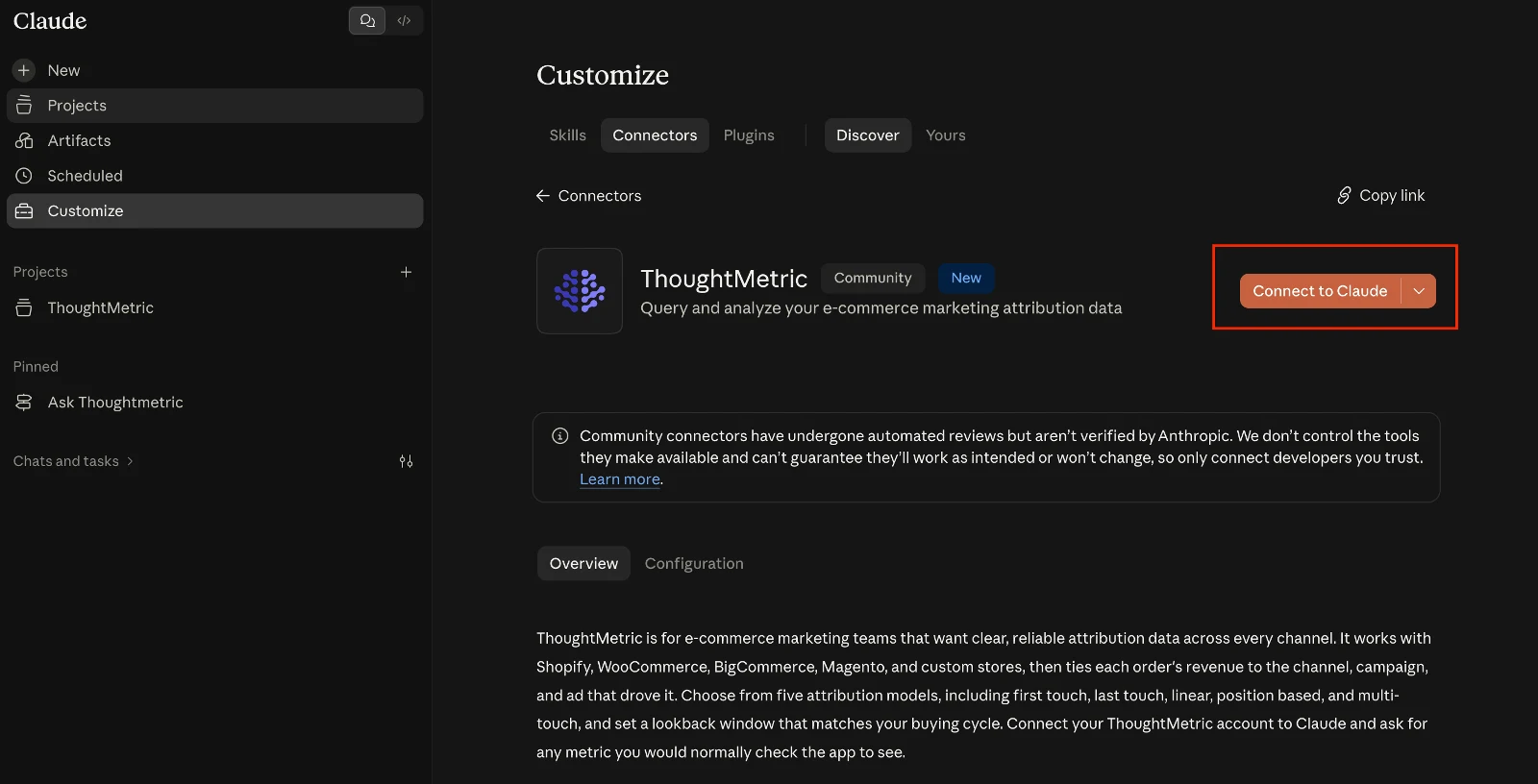
Click Connect to Claude.
-
Authorize access
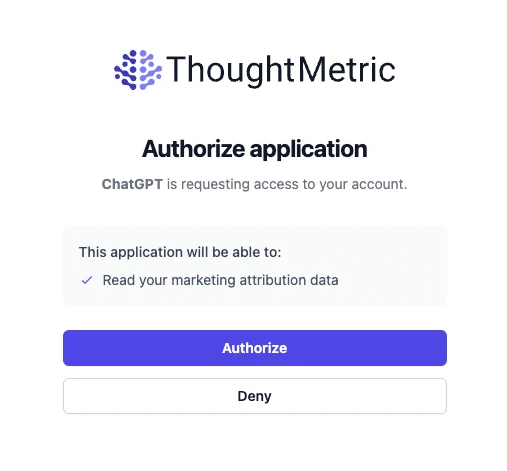
You are redirected to a ThoughtMetric authorization screen. Review the permissions being requested and click Authorize to grant Claude secure access to your ThoughtMetric data. Once authorized, you are redirected back to Claude and the connector status should show as connected.
-
Start asking questions
Head back to the Claude chat interface and start a new conversation. You can now ask Claude questions about your ThoughtMetric data in plain English. Here are some examples to get you started:
- "What were my total sales last week?"
- "Show me a breakdown of orders by channel for the past 30 days."
- "Which campaigns had the highest ROAS this month?"
- "Compare my spend across channels for January vs. February."
- "What are my top-selling products this week?"
Claude queries your ThoughtMetric data in real time and returns the results directly in the conversation.