
Ad platforms
Connect Criteo
Sync ad spend and campaign performance from Criteo.
Connect the Criteo Ads integration to track your spend, ROI, and campaign performance.
-
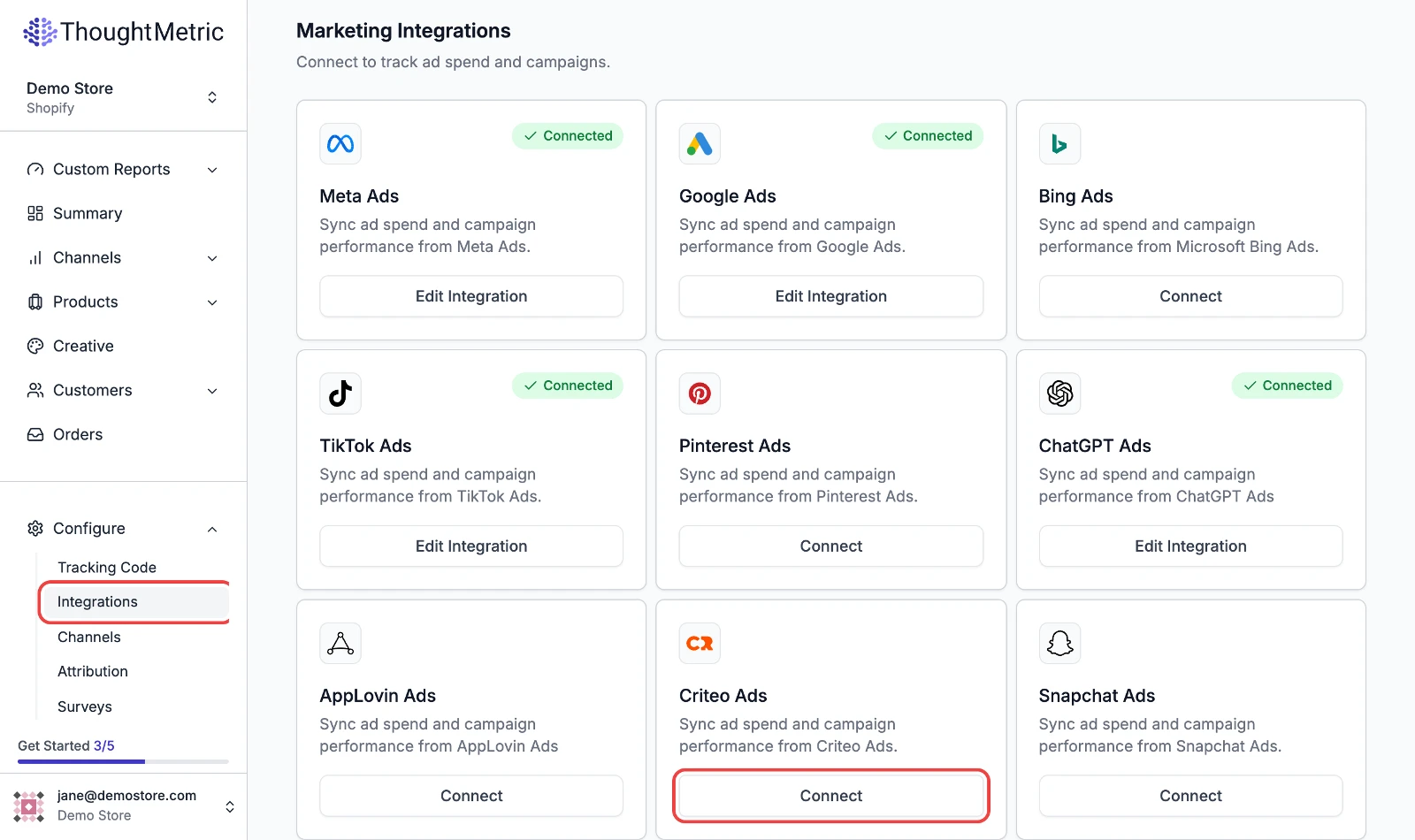
Navigate to Configure in the left-side navigation menu.
-
Start the Criteo Ads connection
Select Integrations and then click Connect on the Criteo Ads card.
-
Approve access in Criteo
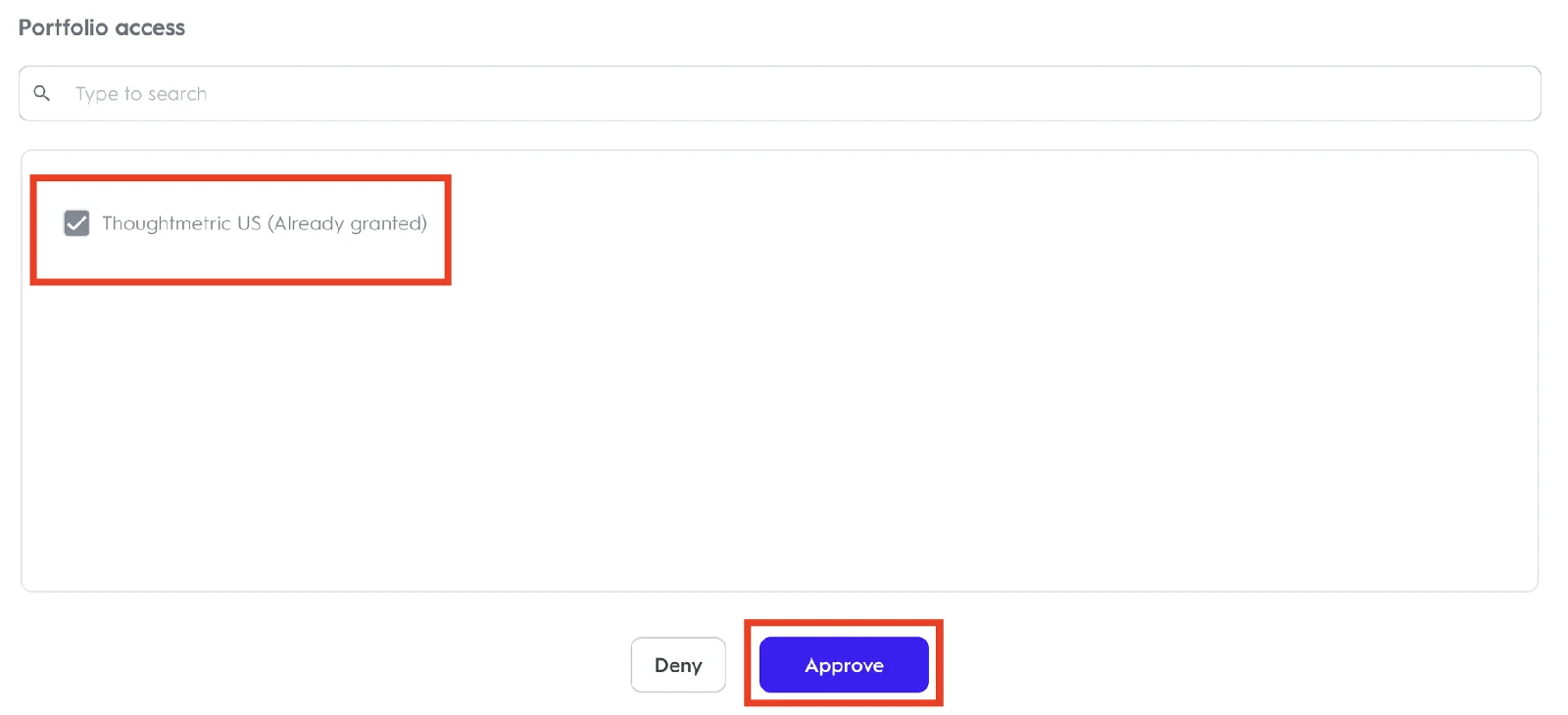
You are automatically sent to your Criteo account page. Log in if necessary, make sure the Portfolio(s) to access are checked, and then click Approve.
-
Select the account to connect
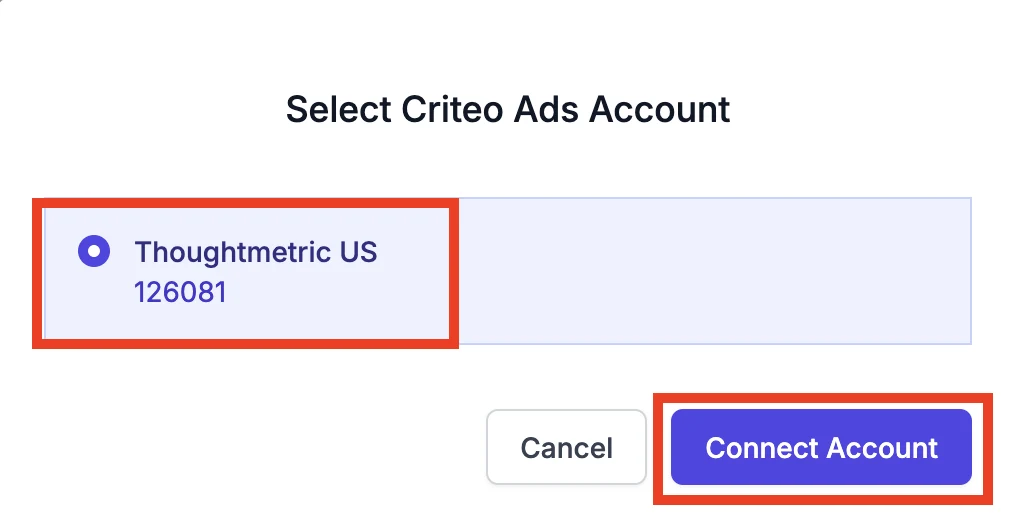
Select the account in the popup if it is not already selected, and then click Connect Account.
-
Once you have successfully integrated with Criteo Ads, the integration shows as Connected.