Conversion APIs
Facebook Conversion API
Send conversion data back to Facebook through the Conversion API (CAPI).
The Conversions API is designed to create a direct and reliable connection between marketing data (such as website events and conversions) from your store and Facebook. This marketing data helps power ad personalization, optimization, and measurement on Meta so that your ads are shown to people who are more likely to find them relevant.
The Facebook Conversion API is a way to send the highly accurate (ad blocker and iOS 14 proof) data from ThoughtMetric to Facebook to help your ads perform better.
Configure the Conversion API in ThoughtMetric
-
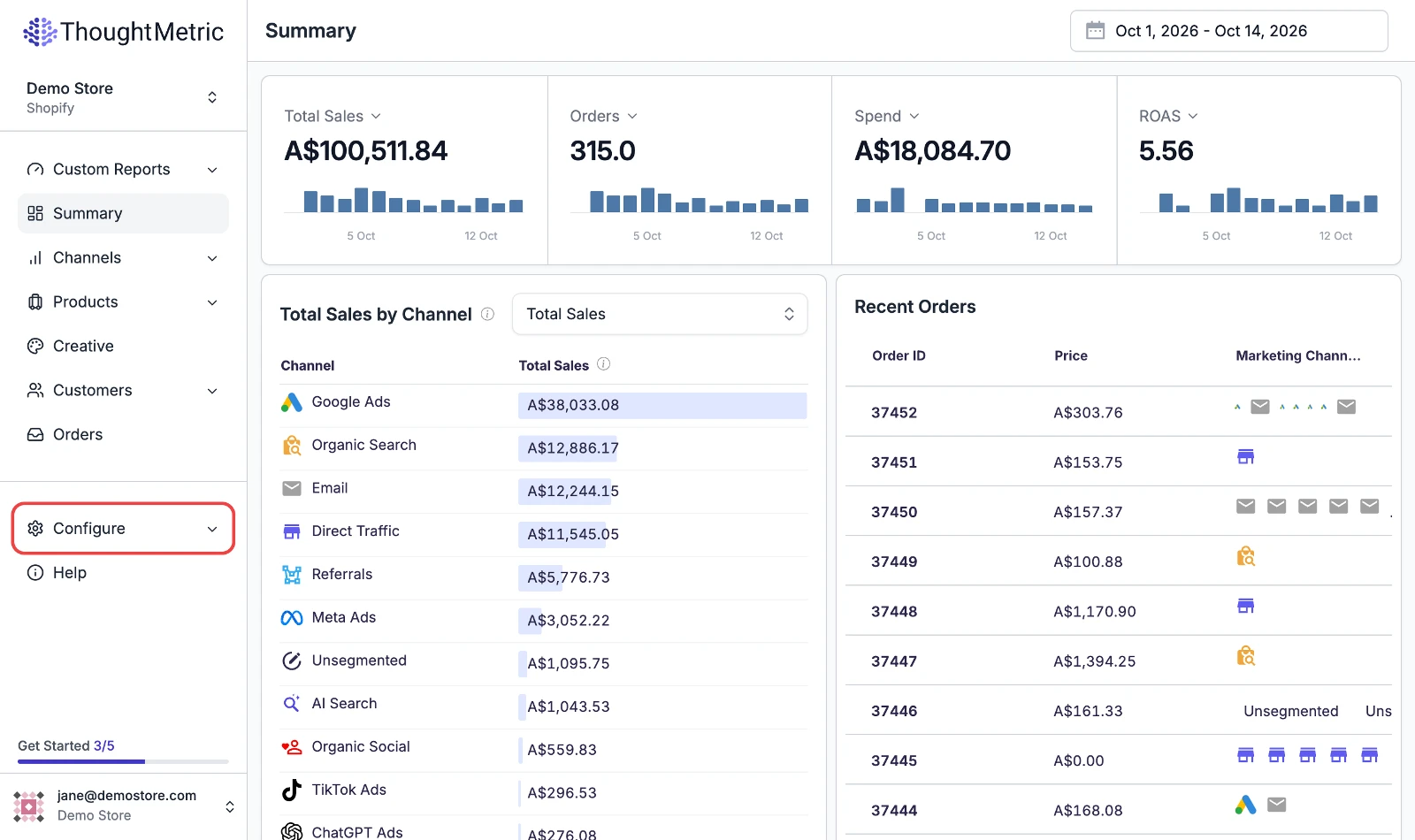
Open Configure
Navigate to Configure in the left-side navigation menu.
-
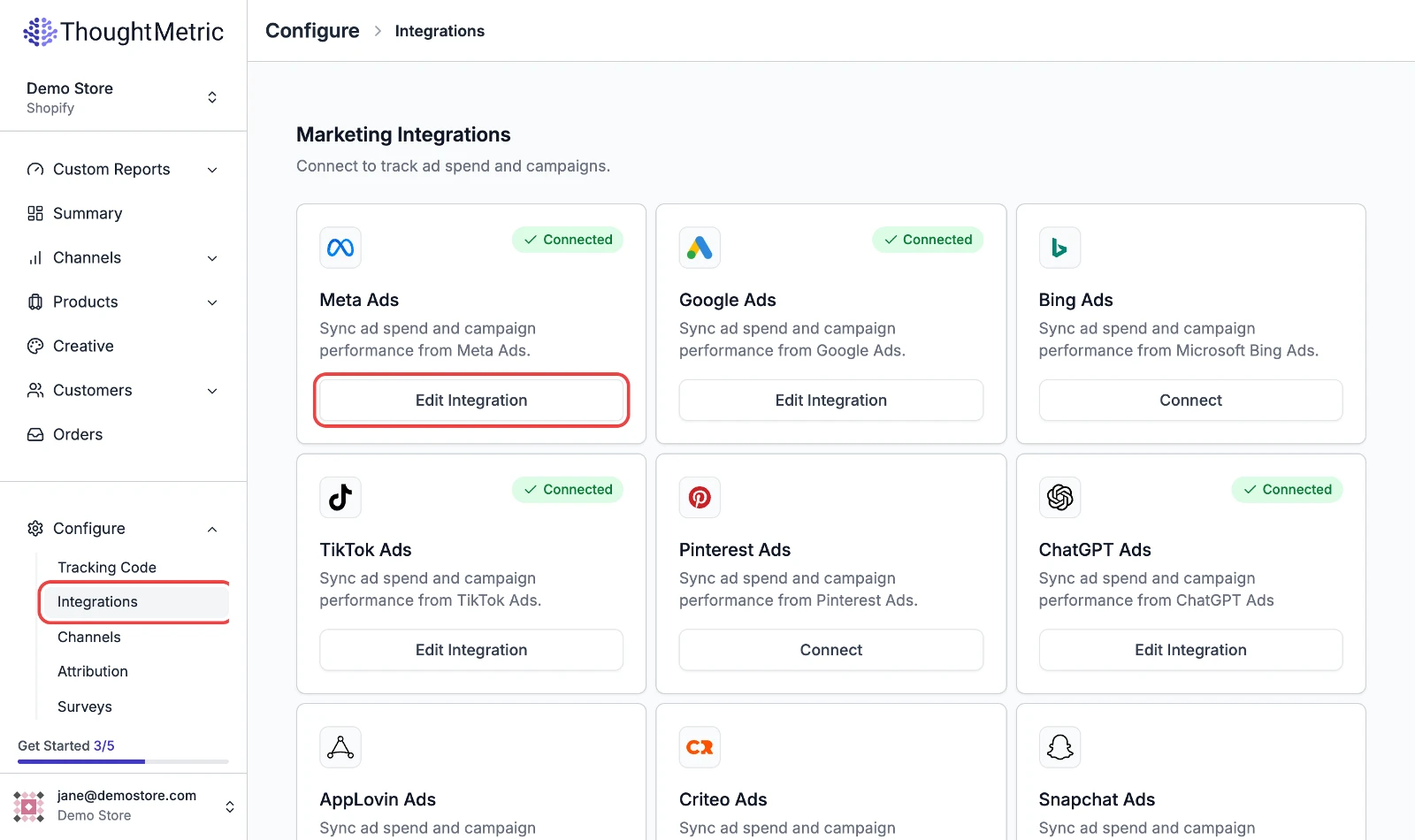
Open the Facebook Ads integration
Select Integrations and then click Edit Integration on the Meta Ads card.
-
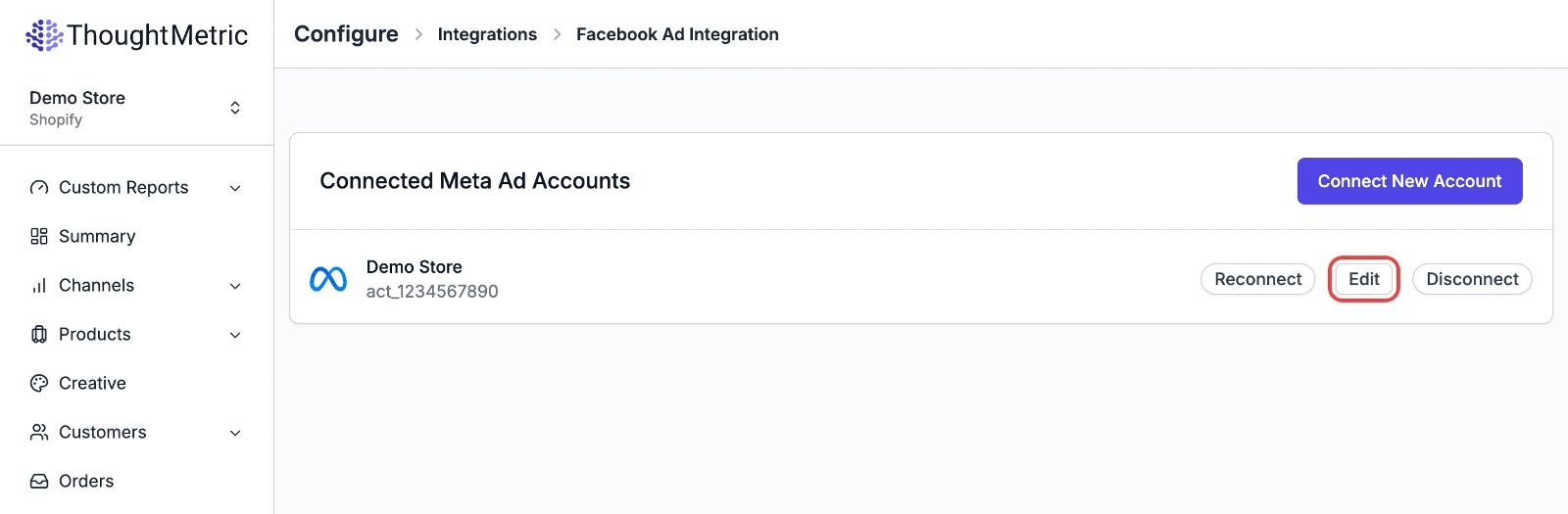
Edit the Facebook account
Click Edit on the Facebook account that you want ThoughtMetric to send data to.
-
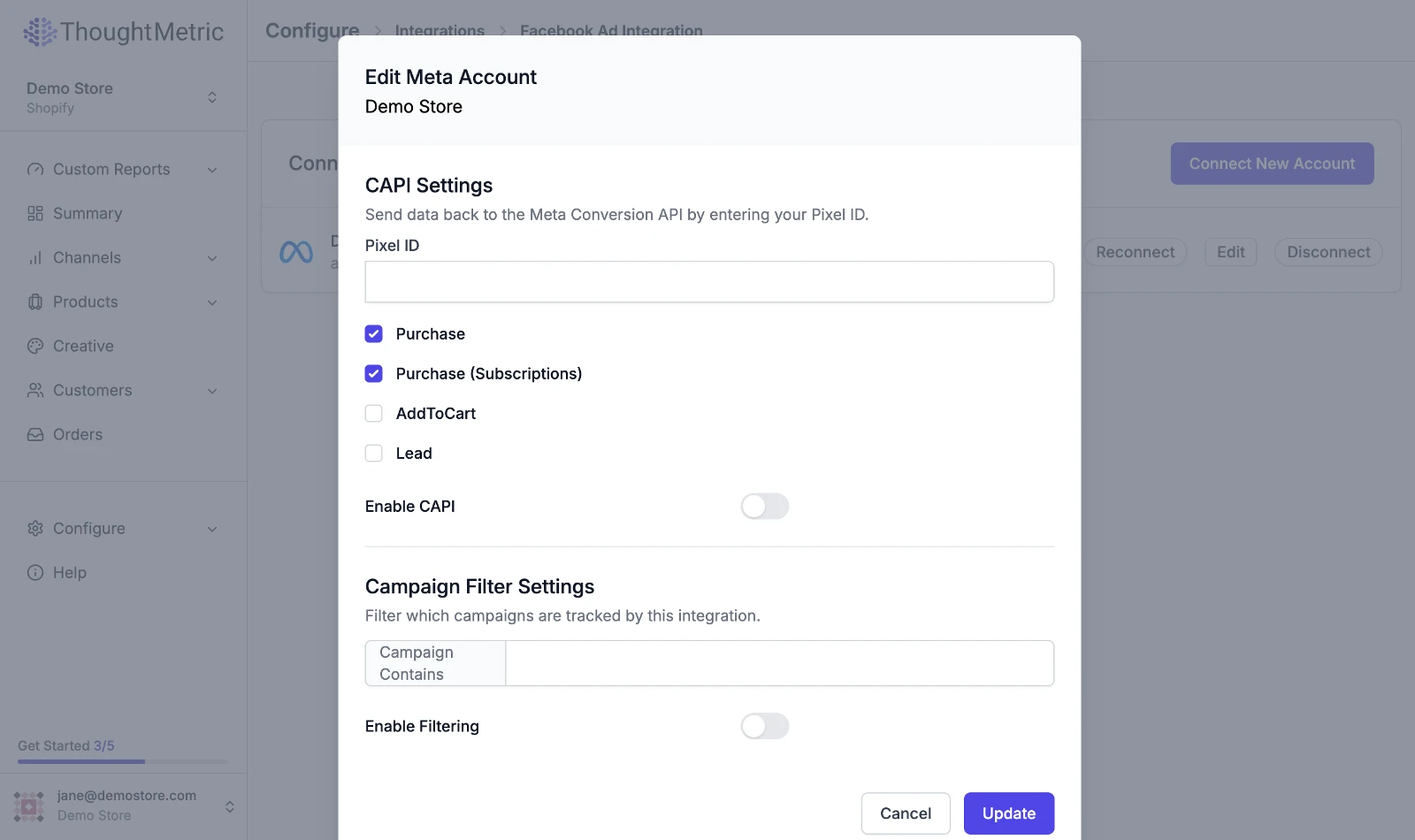
Enter your pixel ID and enable CAPI
Enter your Facebook pixel ID into the text box, toggle on the Enable CAPI setting, and then click Update.
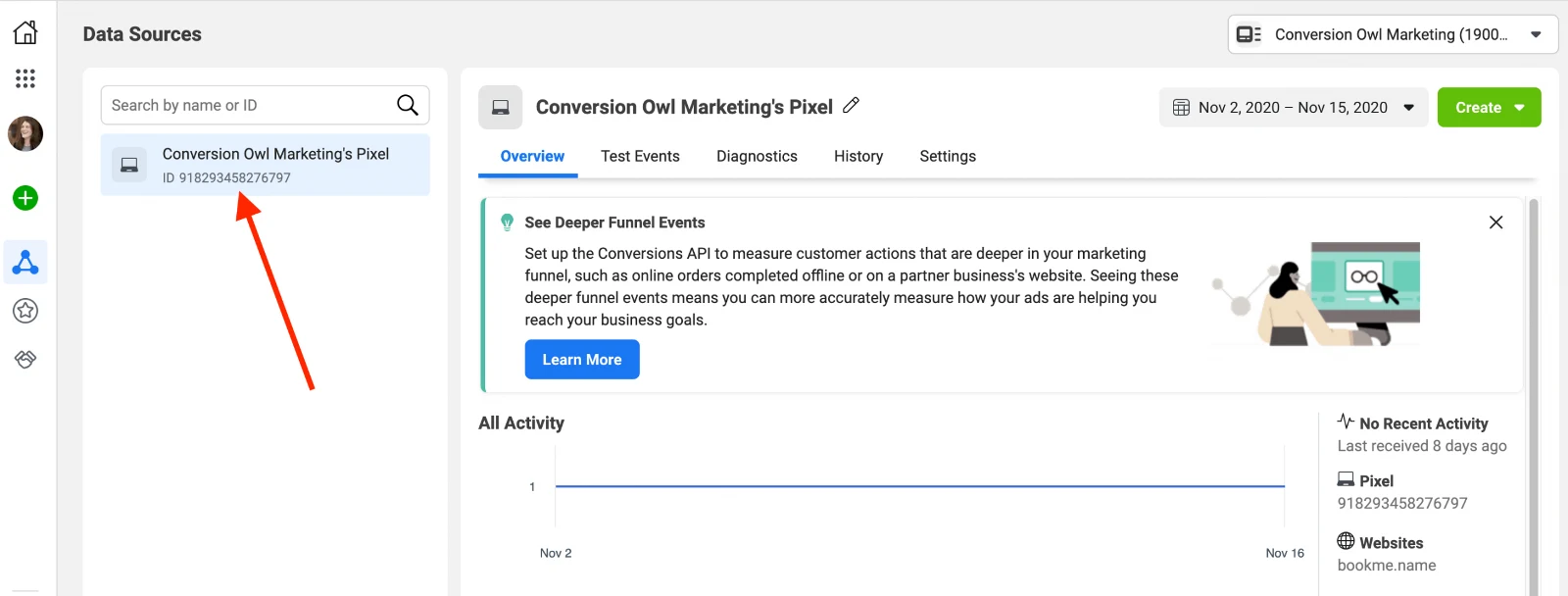
Find your Facebook pixel ID
You can get your Facebook pixel ID from your Facebook business manager page.