
Store APIs
Connect the Magento API
Connect the Magento API to track returns, refunds and order details.
Connecting the Magento API integration enables tracking of returns, refunds, voided payments, and customer lifetime value. It also double-checks the ThoughtMetric data for accuracy, so you can be confident in it.
-
Log in to the Magento admin console.
-
Open the integrations page
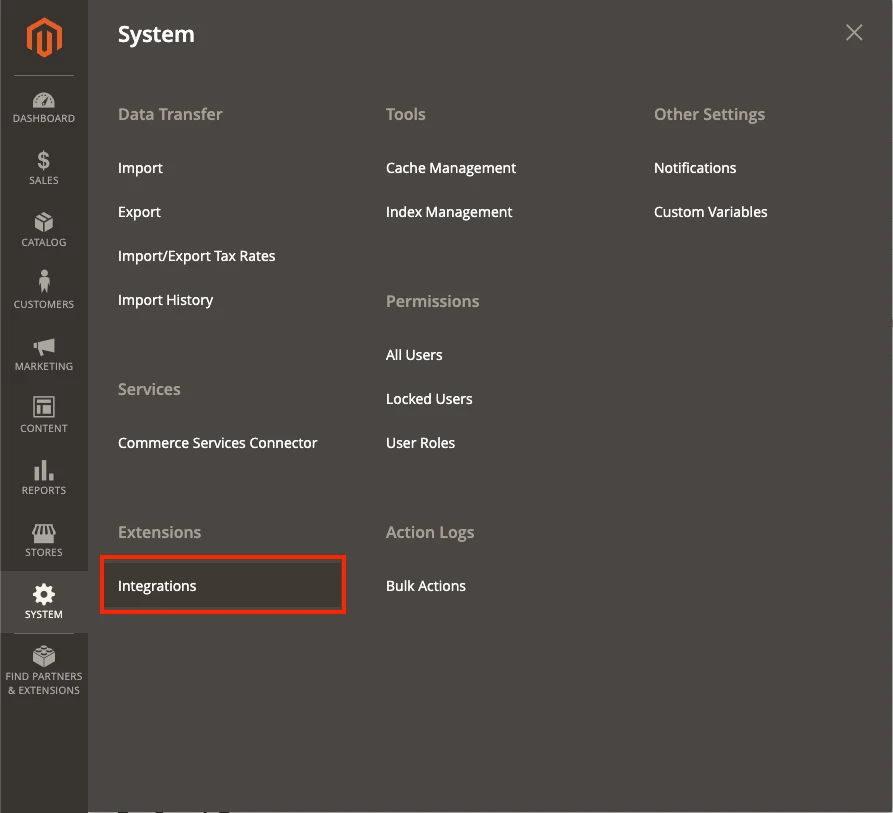
Navigate to System → Integrations.
-
Add a new integration
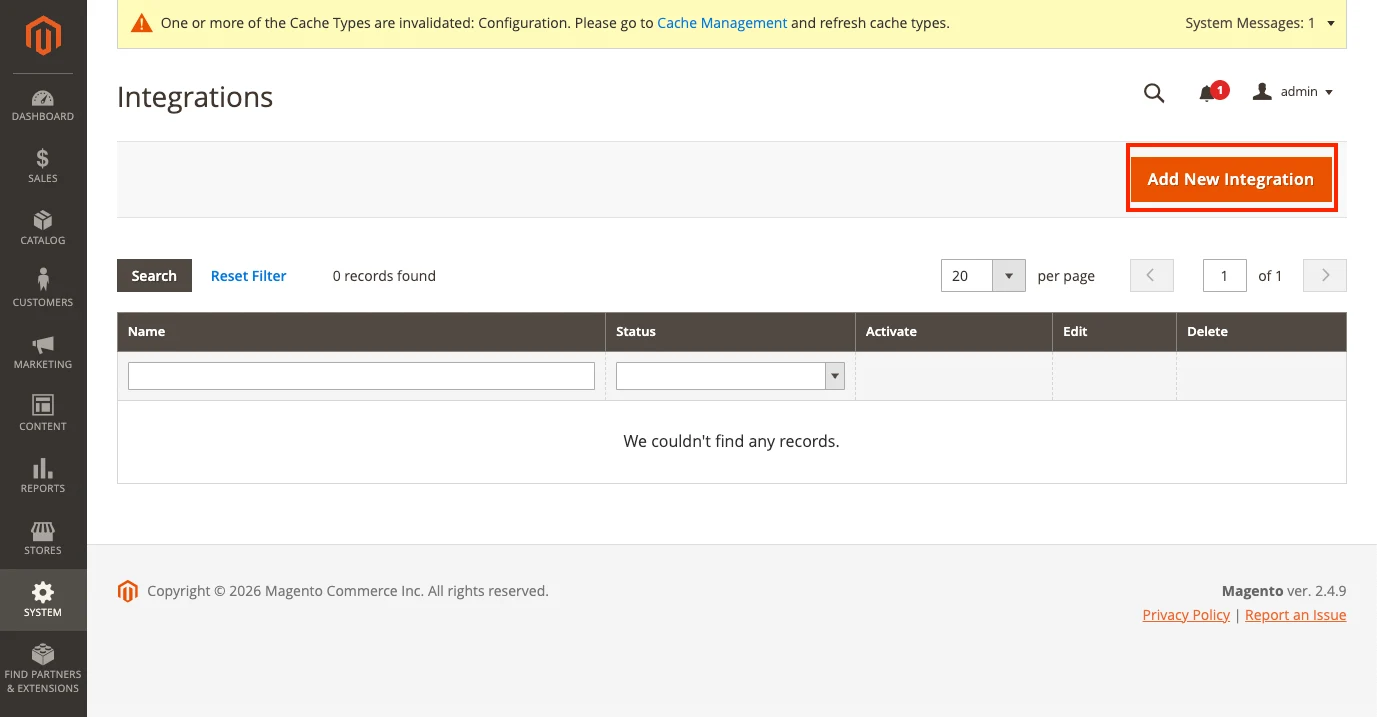
Click Add a New Integration.
-
Name the integration
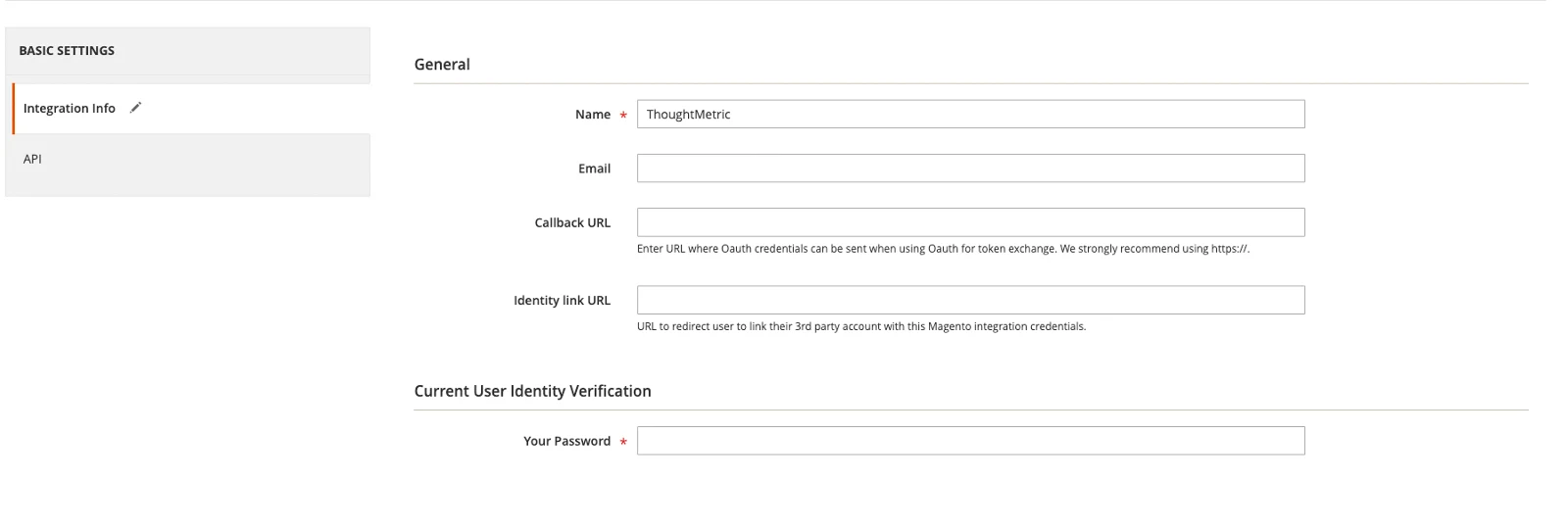
On the Integration Info tab, enter "ThoughtMetric" as the name of the integration.
-
Set the API permissions
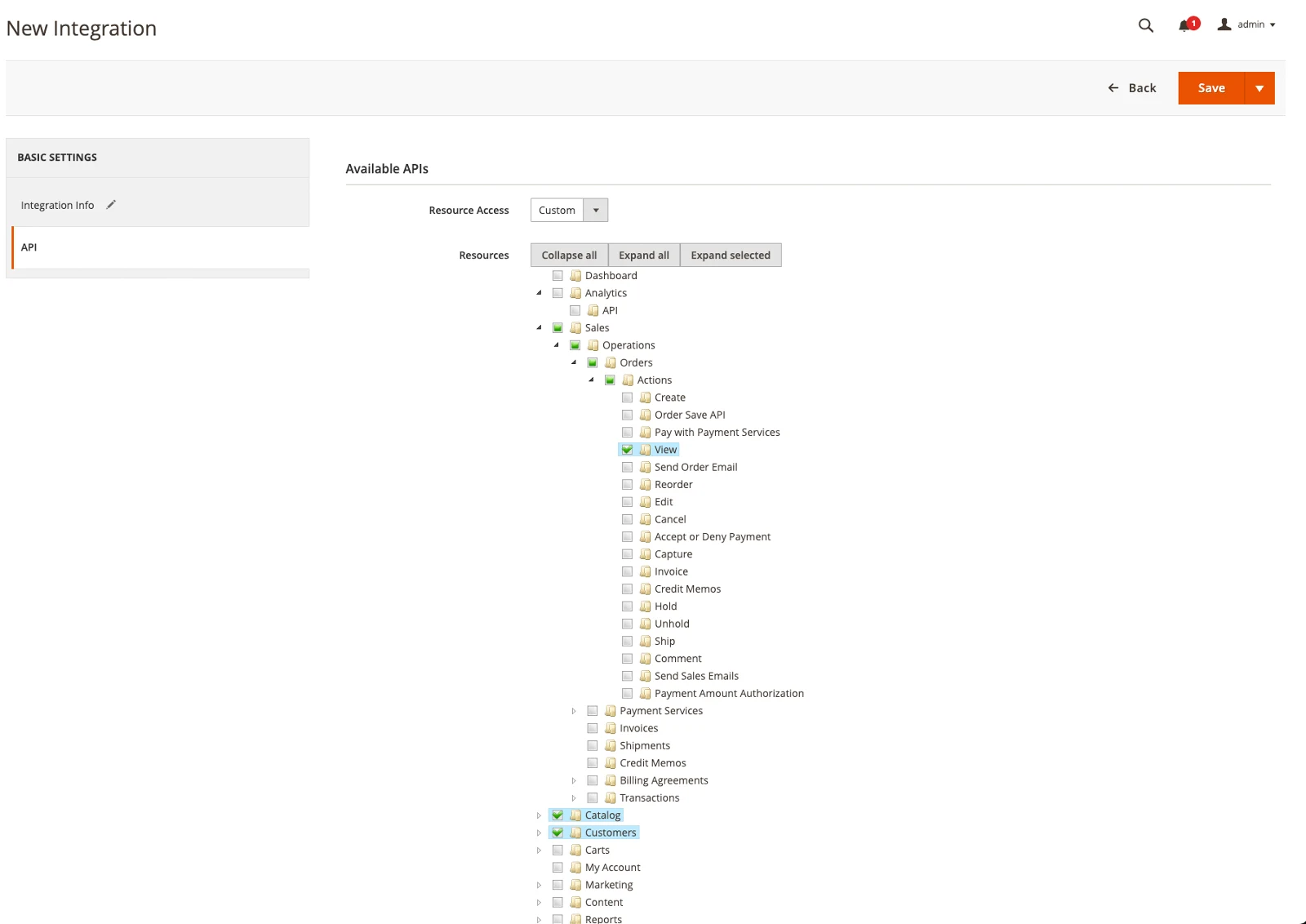
On the API tab, allow the following permissions:
- Sales → Operations → Orders → Actions → View
- Catalog
- Customers
-
Click Save and Activate.
-
Copy the access token
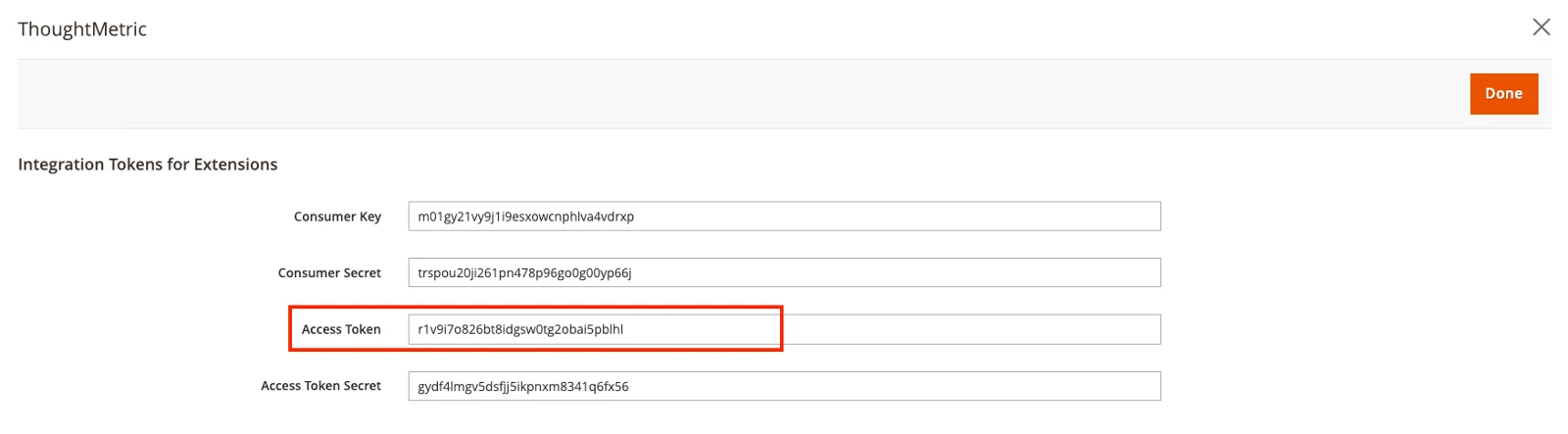
On the following screen, copy the Access Token value that is presented.
-
In ThoughtMetric, navigate to the Integrations screen and click Connect under the Magento icon.
-
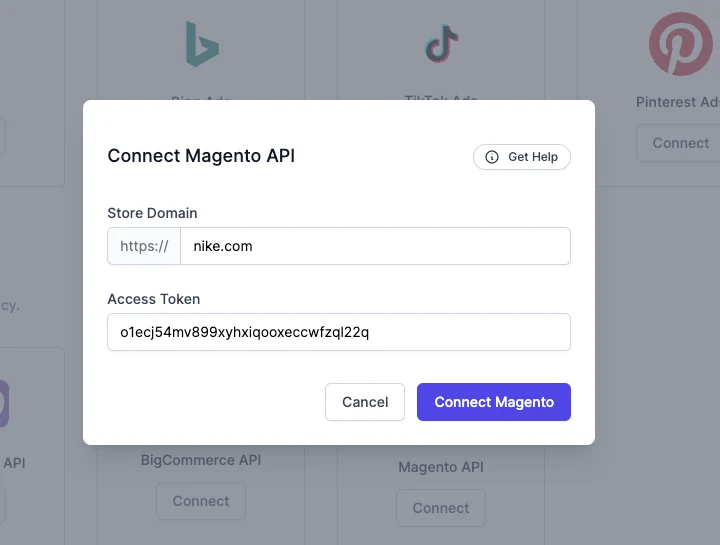
Enter your access token and store URL
Paste the access token into the access token text box, enter the URL for your website in the appropriate text box, and click Connect.
-
Allow standalone bearer tokens in Magento
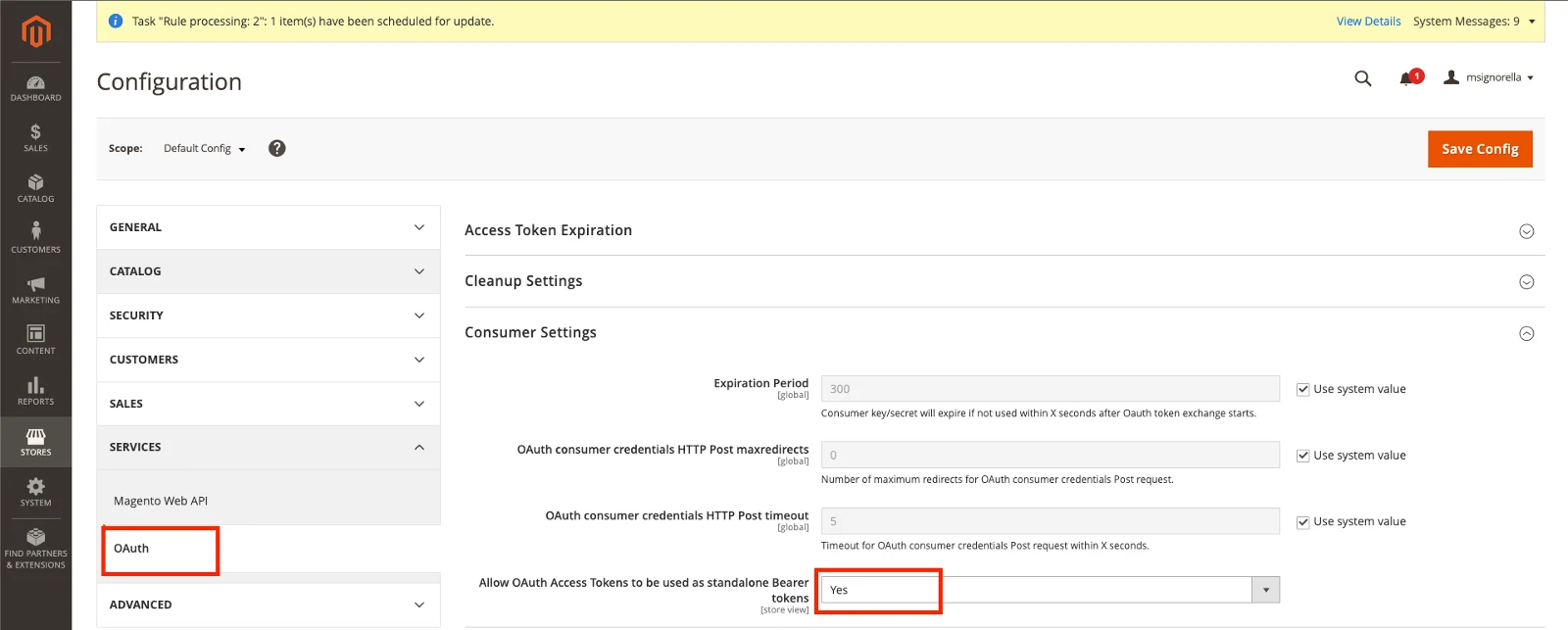
Back in the Magento admin, there is one more setting to adjust. Navigate to Stores → Configuration → Services → OAuth → Consumer Settings, then set the Allow OAuth Access Tokens to be used as standalone Bearer tokens option to Yes.
You might also need to allowlist the following IP addresses in any firewalls or Cloudflare installations you have: 34.150.141.41 and 35.245.88.190.