Store APIs
Connect the BigCommerce API
Connect the BigCommerce API to track returns, refunds and order details.
Connecting the BigCommerce back-end integration enables tracking of returns, refunds, voided payments, and customer lifetime value. It also double-checks the ThoughtMetric data for accuracy, so you can be confident in it.
-
Log in to the BigCommerce admin page.
-
Open the store-level API accounts
Navigate to Settings → Store Level API Accounts.

-
Create an API account
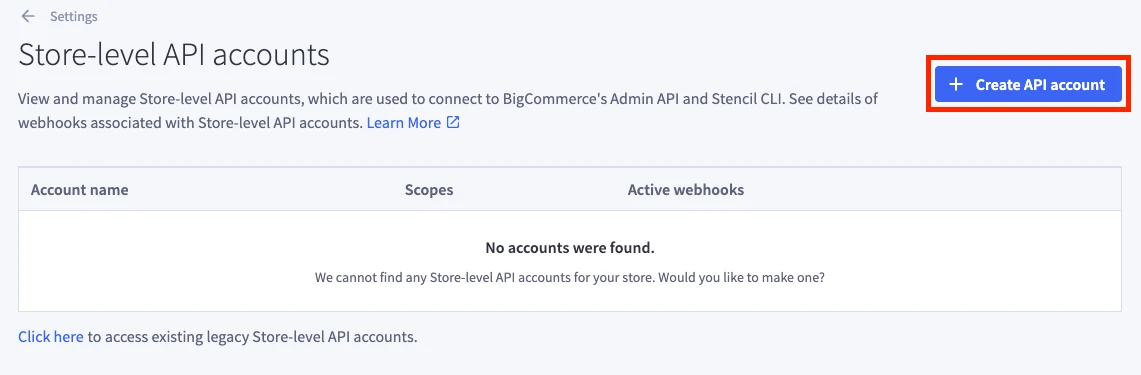
Click Create API Account.
-
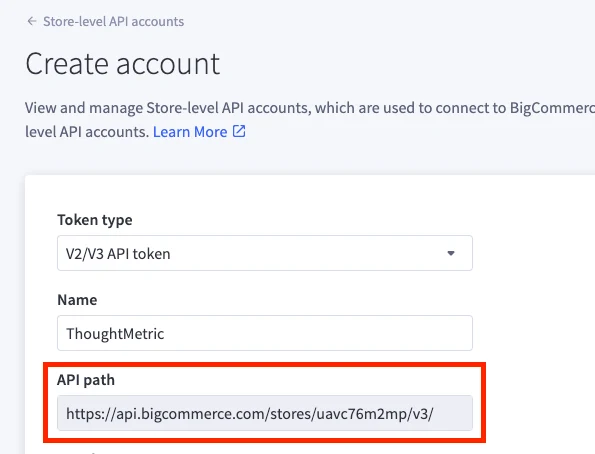
Enter "ThoughtMetric" in the Name field.
-
Set the permissions
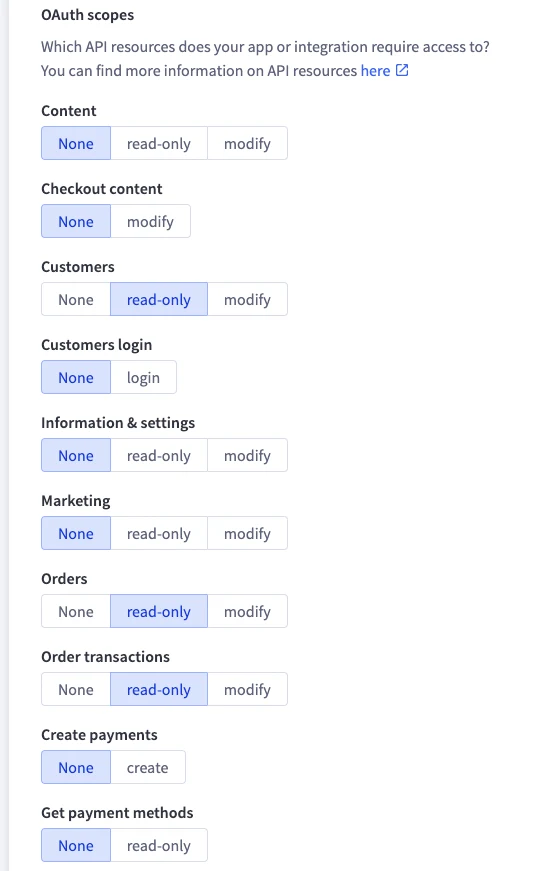
Select read-only for Customers, Orders, Order Transactions, Products, and Checkouts.
-
Copy the API path
Copy the text from the API Path text box.
-
Open the BigCommerce API integration in ThoughtMetric
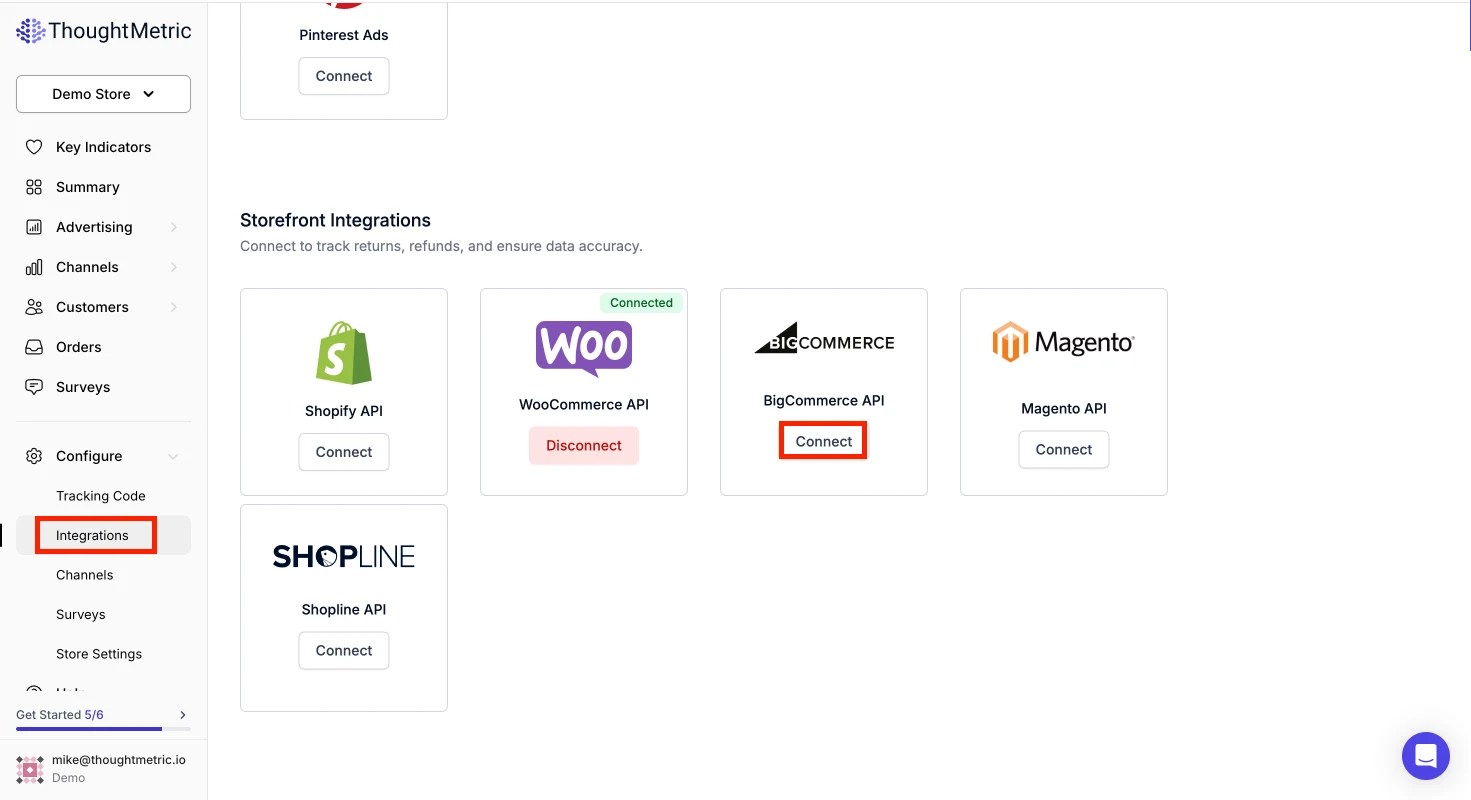
On the ThoughtMetric Integrations page, click Connect in the BigCommerce API section.
-
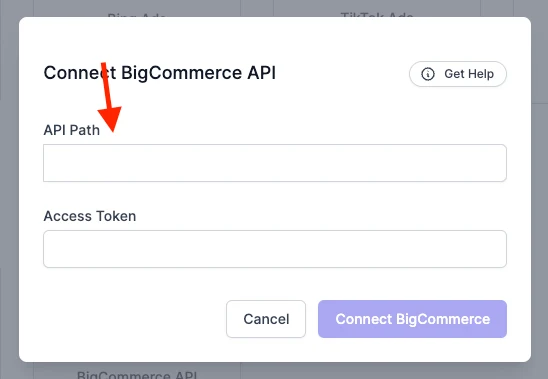
Paste the API path
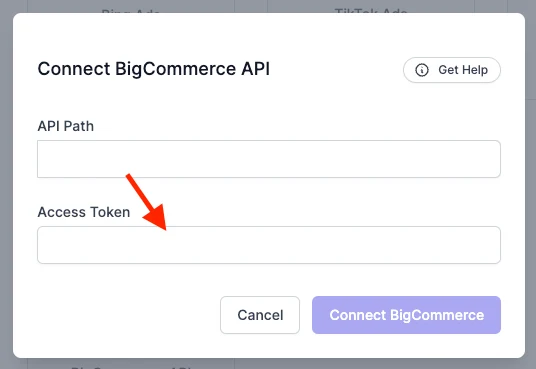
Paste the API Path text into the field in ThoughtMetric.
-
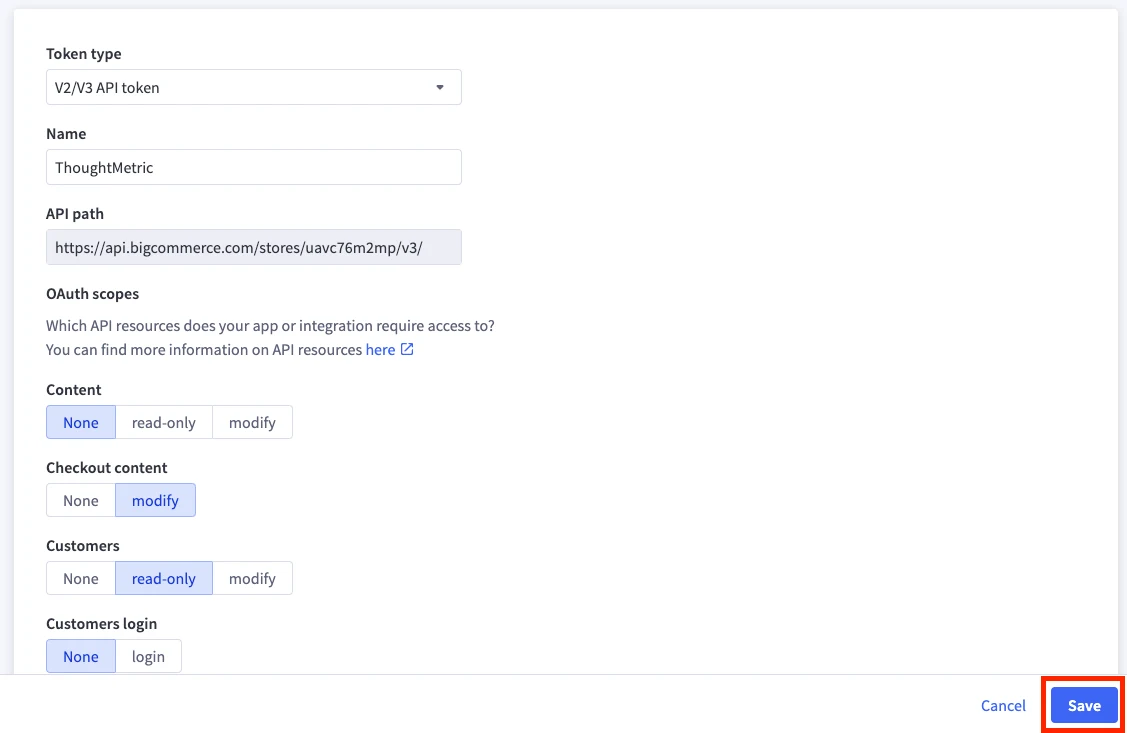
Save the API account in BigCommerce
Click Save in your BigCommerce API configuration.
-
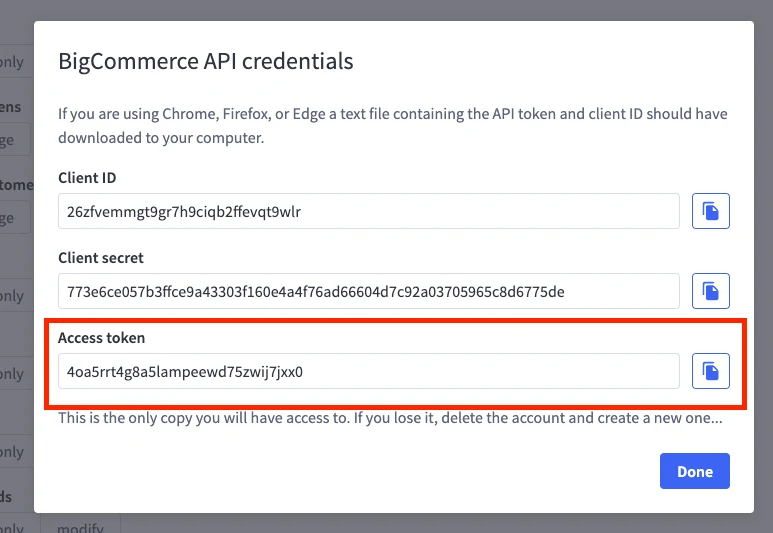
Copy the access code
Copy the Access Code from the info box that pops up after you click Save.
-
Connect BigCommerce
Paste the Access Token into the access token field in ThoughtMetric and click Connect BigCommerce.