
Account and settings
Change store currency
Change the currency your store reports in.
By default, ThoughtMetric shows metrics like Ad Spend and Revenue in USD. To change this, follow these steps.
-
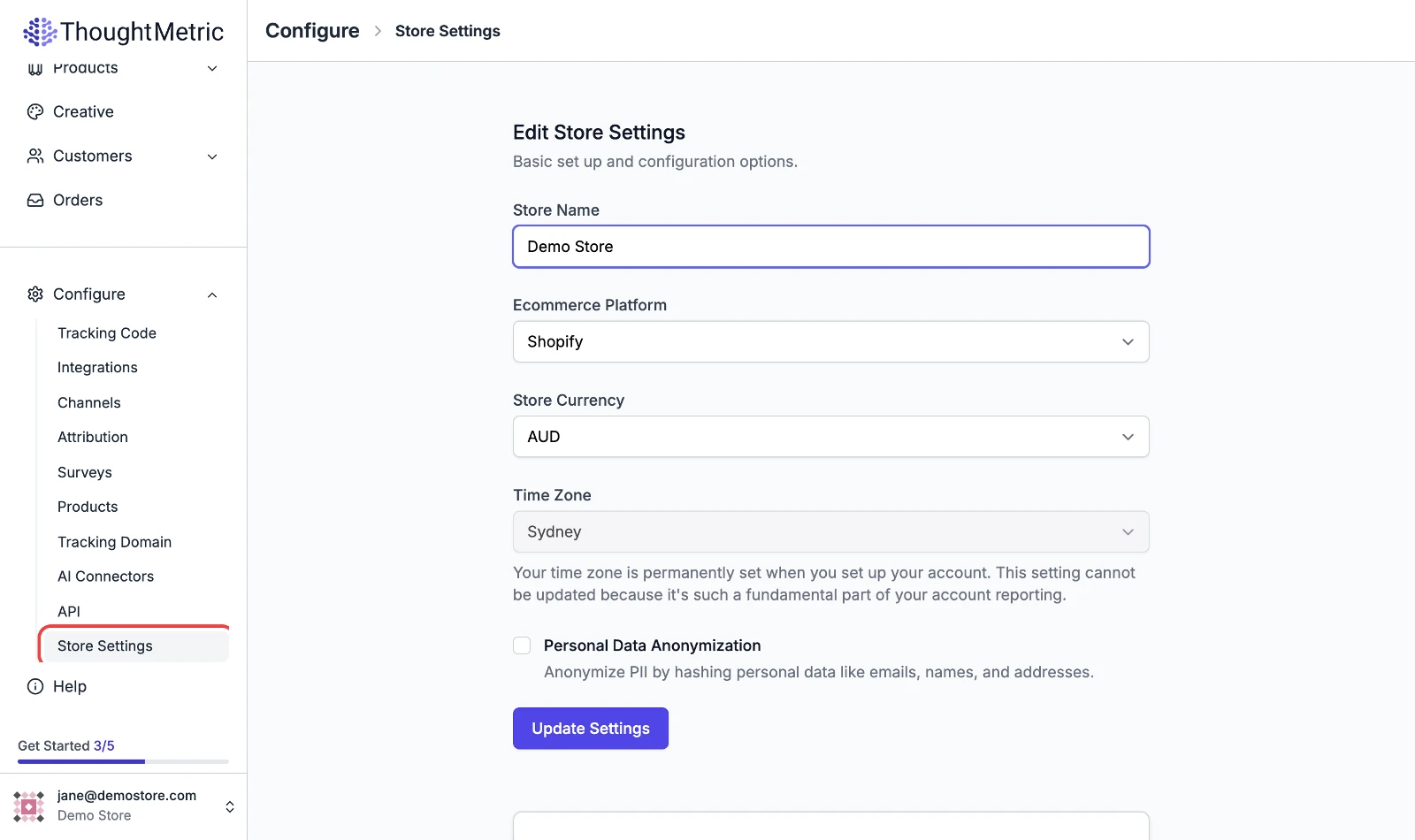
Open the store settings
Click Store Settings (under Configure) in the left-side nav.
-
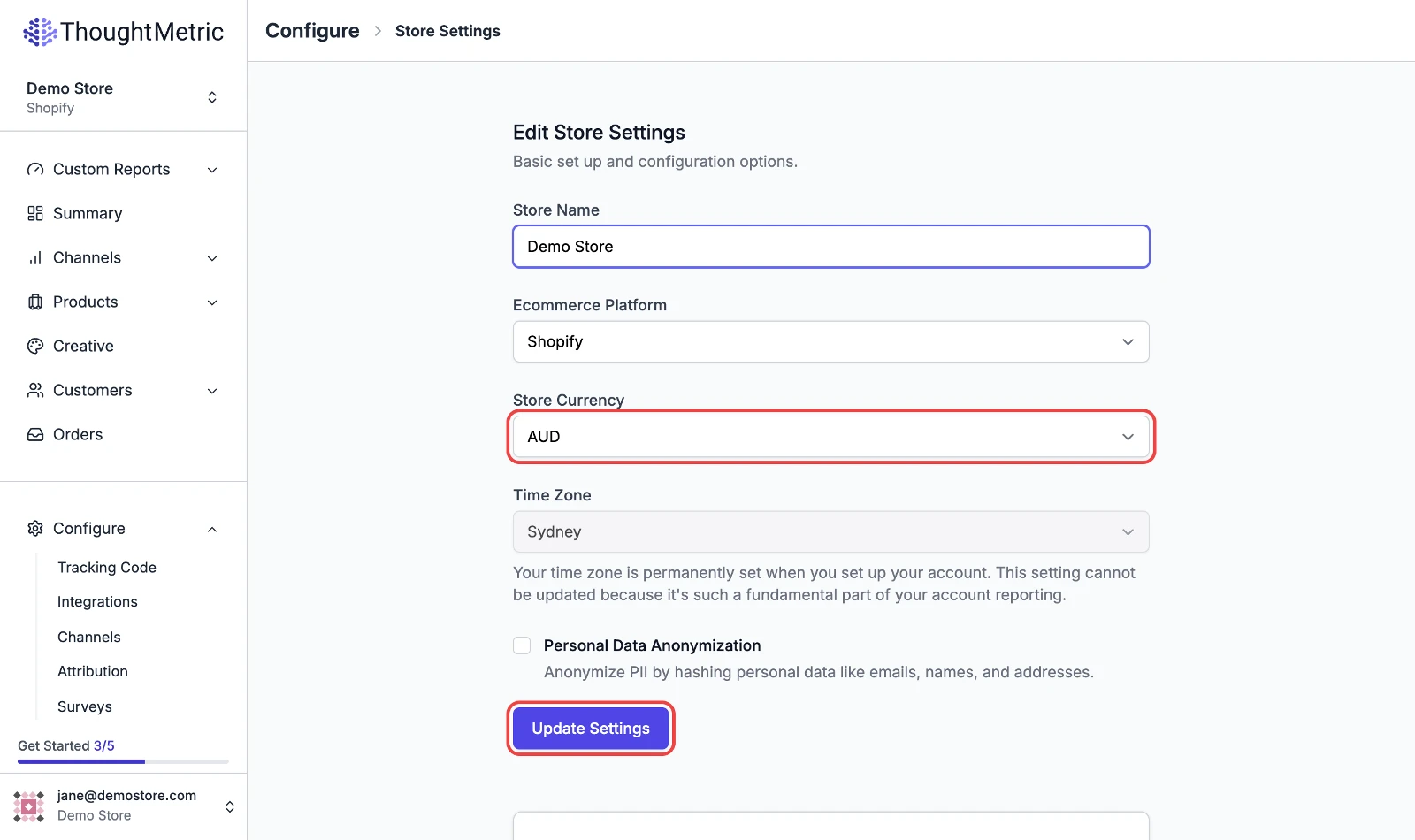
Set the store currency
The Store Currency setting shown below represents the currency that your store accepts as payment. Changing it changes metrics like Total Sales, Customer Acquisition Cost, and Average Order Value.
-
Click Update Settings to save your changes.