
Surveys
Post-purchase surveys
Set up the "How did you hear about us?" survey on your order confirmation page.
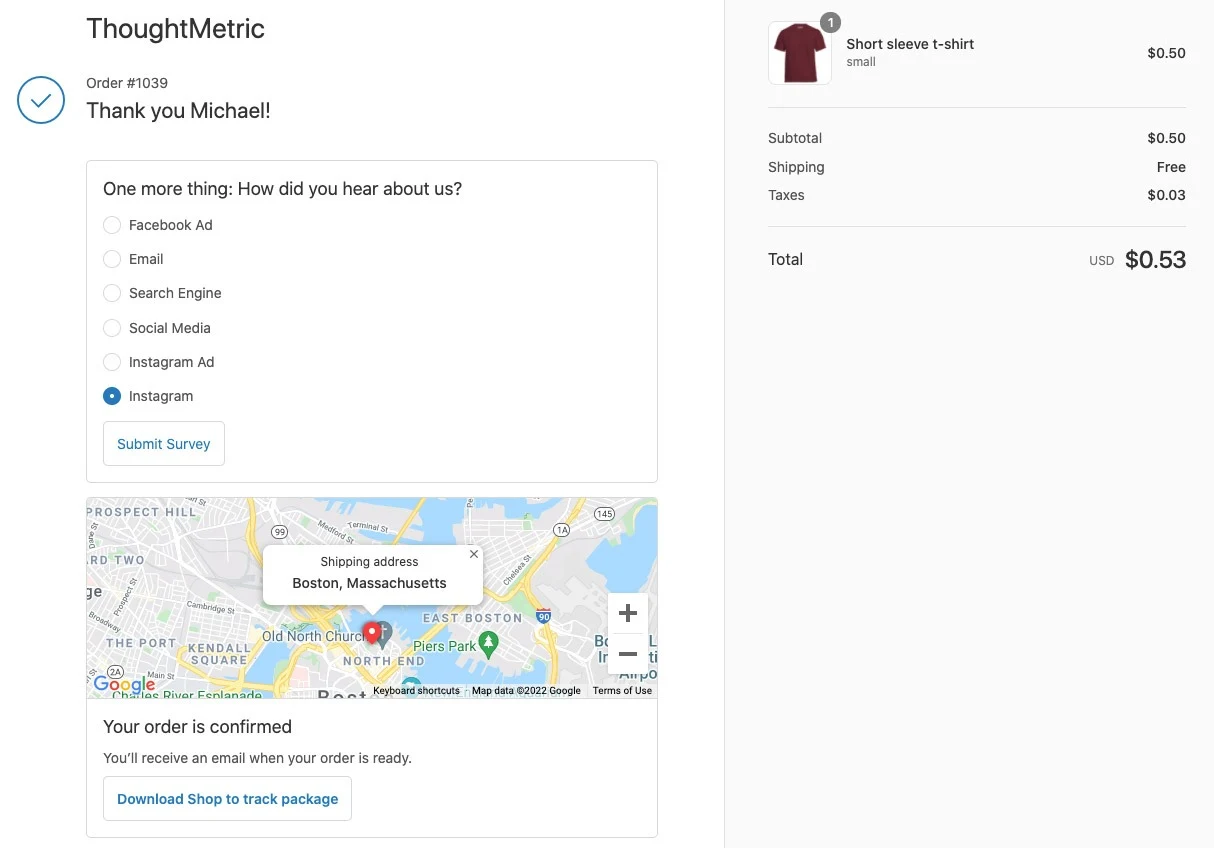
You can collect additional attribution data directly from your customers by enabling ThoughtMetric's post-purchase "How did you hear about us?" survey. Once configured, ThoughtMetric inserts a simple survey into your store's post-checkout page asking your customers how they first heard about your store. The survey results are factored into the ThoughtMetric attribution model behind the scenes to increase data accuracy and fill in blind spots.
ThoughtMetric inserts the survey into your store's normal post-checkout page.
Configure and enable the survey
-
Open the Configure menu
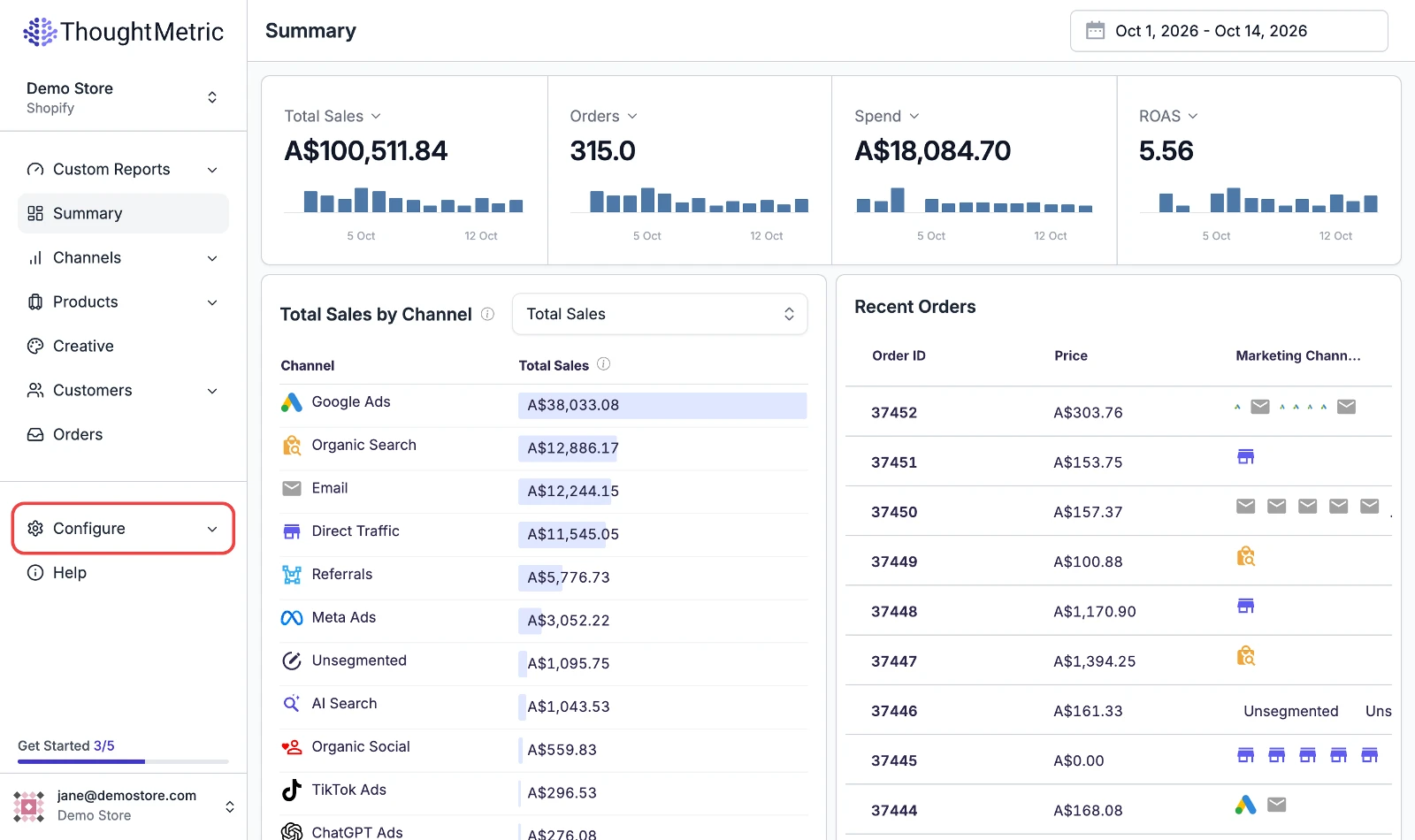
Navigate to Configure in the left-side navigation menu.
-
Click Surveys.
-
Enable the survey
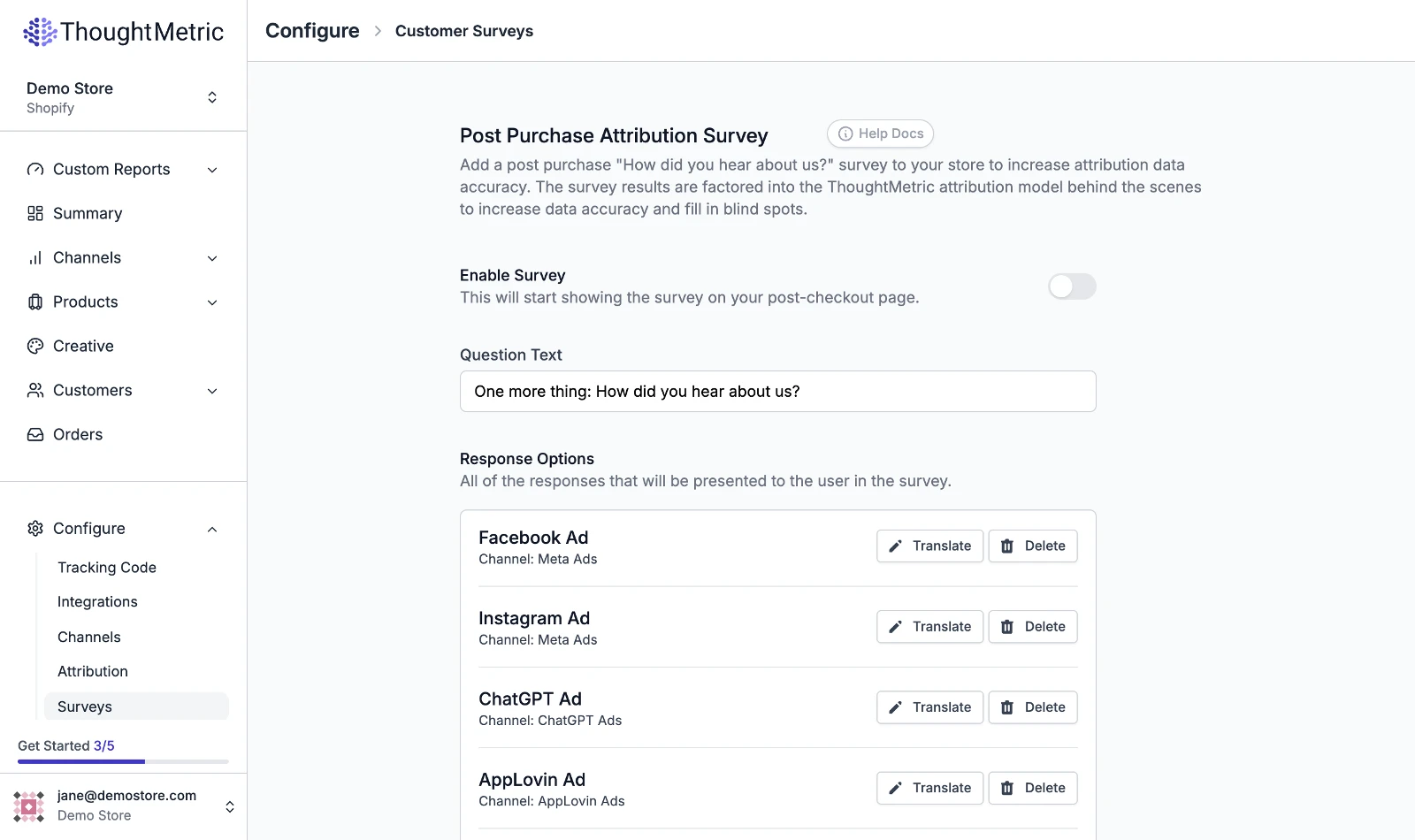
Click the Enable Survey toggle near the top of the page.
-
Edit the survey text
If you want to change the default question text or submit button text, edit the corresponding fields.
-
Choose the responses
Modify the responses available in the survey by clicking Add a response and selecting which marketing channels you want to add.
-
Save your settings
Click Save Settings at the bottom of the form to save your changes. If the survey is enabled, it starts showing up in your store right away.
Translations
The ThoughtMetric survey system can be configured to display in any number of different languages. To translate a response option, click the translate button for that response option, enter the translated text, and click Save.

Response ordering
The order of the responses is randomized every time the survey is presented to a user. This randomization helps eliminate any bias that might arise from the ordering of options.
WooCommerce stores
Many WooCommerce stores have customized versions of the Thank You page, so the ThoughtMetric survey can sometimes display in a non-ideal place on the page. We recommend placing a test order to check the placement of the survey.
If the placement is not to your liking, you can control where the survey appears by putting the following HTML code into your Thank You page where you would like the survey to appear:
<div id="thought_survey"></div>