
Marketing channels
Add a custom marketing channel
Track influencers, affiliates, podcasts and any other channel with custom rules.
By default, ThoughtMetric tracks most of the common marketing channels out of the box. Paid social, paid search, organic search, email, and SMS are all tracked automatically. You can see the full list of channels that ThoughtMetric automatically tracks on the Configure → Channels page.
If you want to track a channel that we don't automatically track, such as influencers or affiliates, you can set up a custom marketing channel.
Create a custom channel
-
Start a new custom channel
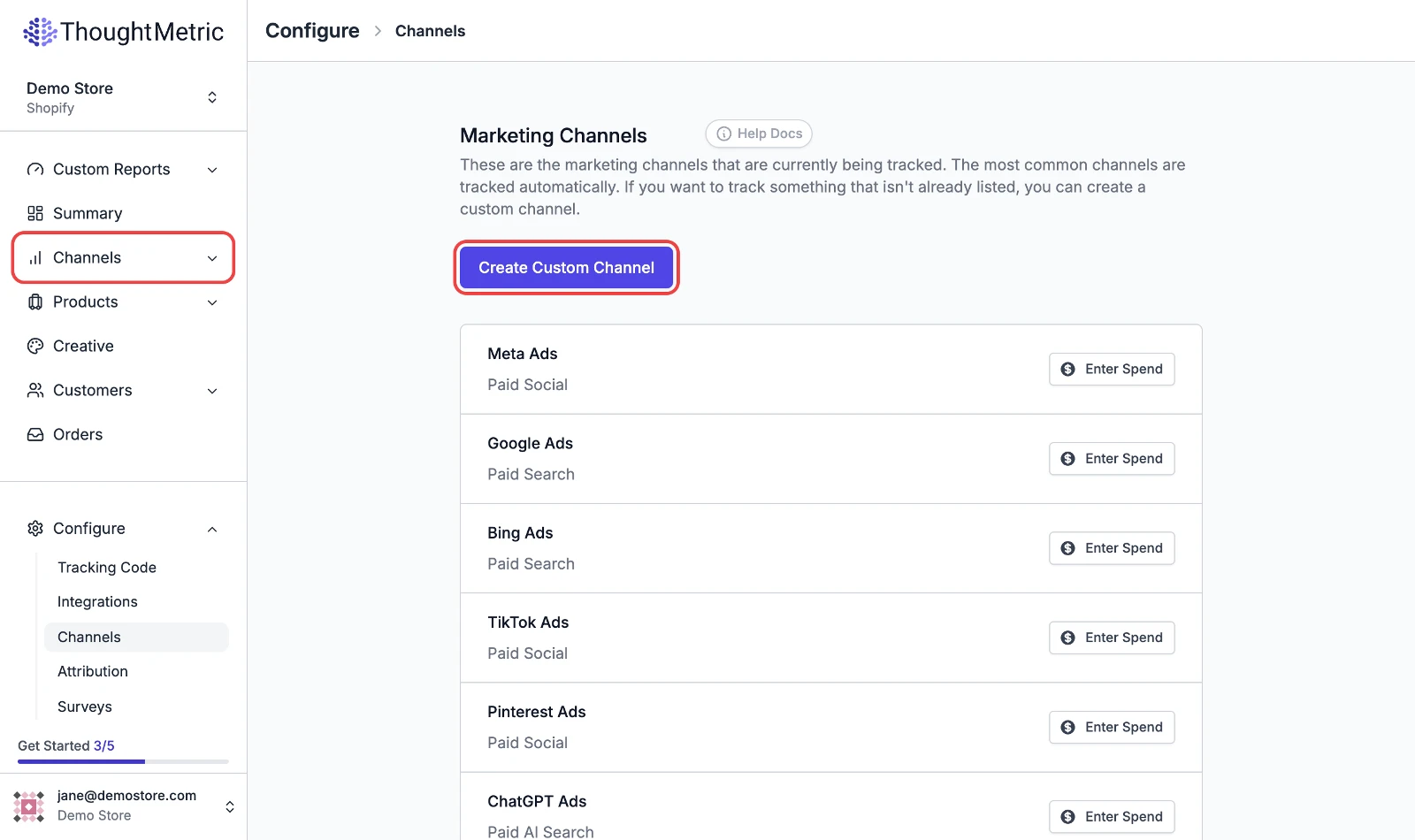
Navigate to the Configure → Channels page, then click Create Custom Channel.
-
Name your channel
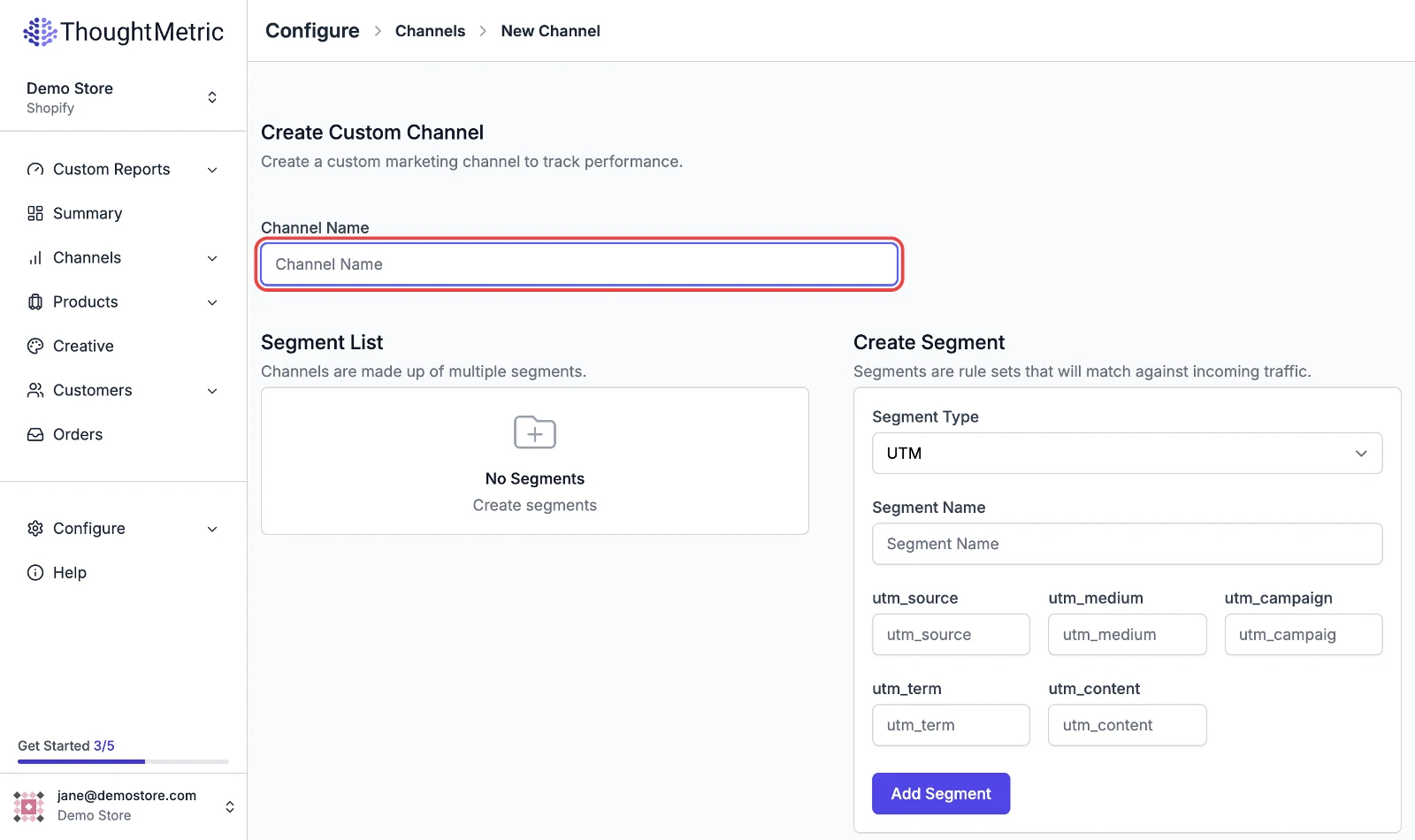
You will be taken to the New Channel page, where you create your custom channel. First, give your new channel a name.
-
Add segments
Next, populate your channel with segments. Segments contain the configuration that tells ThoughtMetric what traffic to match to your custom channel. Every custom channel must have at least one segment, and there is no upper limit on the number of segments.
Segments usually represent subsets of the channel. For example, if you are creating a custom channel to track influencers, add a segment for each one of your influencers.
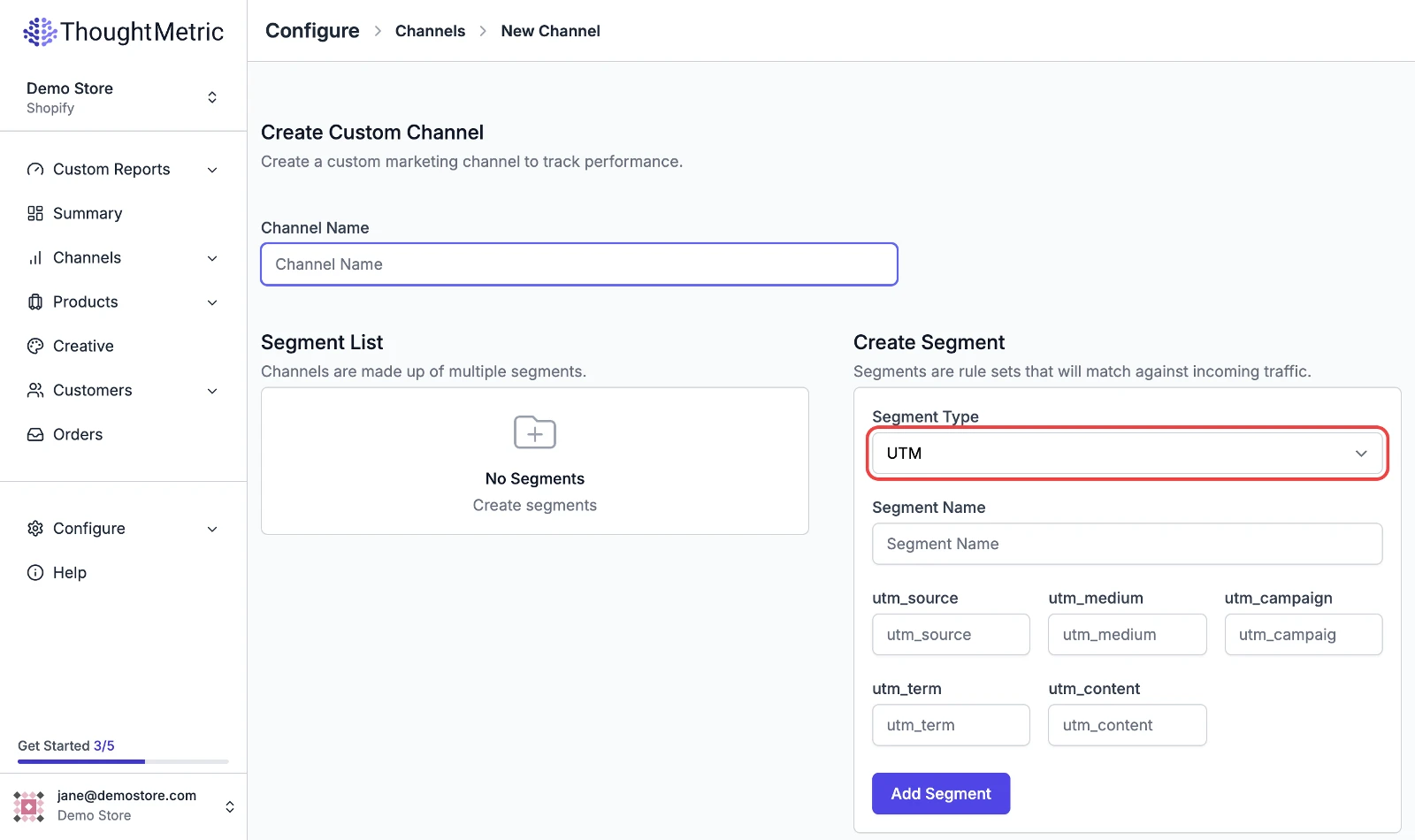
There are five segment types to choose from:
- UTM
- Referrer
- Path
- Discount Code
- URL parameter
Segment types
UTM
The UTM segment type tracks a marketing channel based on UTM parameters. To use it, first select the UTM option from the Segment Type dropdown. Then enter the utm_source, utm_medium, utm_campaign, utm_term, and utm_content strings that you want to track into the corresponding text boxes.
For example, to track the URL https://mystore.com?utm_source=influencer, enter the string influencer into the utm_source text box.
Referrer
The referrer segment type tracks a marketing channel based on the referrer domain. For example, you could use it to track traffic from a specific website such as reddit.com or wsj.com.
To use it, first select the Referrer option from the Segment Type dropdown. Then enter the referring domain name that you want to track into the Referrer Domain text box. For example, to track sales coming from https://reddit.com, enter reddit.com into the Referrer Domain text box.
Path
The path segment type tracks campaigns based on the URL of a landing page. For example, if you are driving traffic to https://mystore.com/taylorswift as part of an influencer campaign, you can track it by entering taylorswift into the Webpage Path text box.
Discount code
The discount code segment type tracks campaigns based on discount codes entered at checkout.
URL parameter
The URL parameter segment type tracks campaigns based on parameters in the URL. An example use case is tracking an affiliate network that adds affiliate parameters to the URL. For example, if your affiliate partner directs traffic to https://mystore.com?aaid=zOGRz, you can track this campaign by entering aaid=zOGRz into the URL Parameter text box.