
Account and settings
PII anonymization
Anonymize personally identifiable information before it is stored.
ThoughtMetric can be configured to anonymize personally identifiable information (PII). This configures the ThoughtMetric tracking pixel to hash personal customer data like name and email, so that personal data is not collected in a readable form.
-
Open the store settings
Click Store Settings (under Configure) in the left-side nav.
-
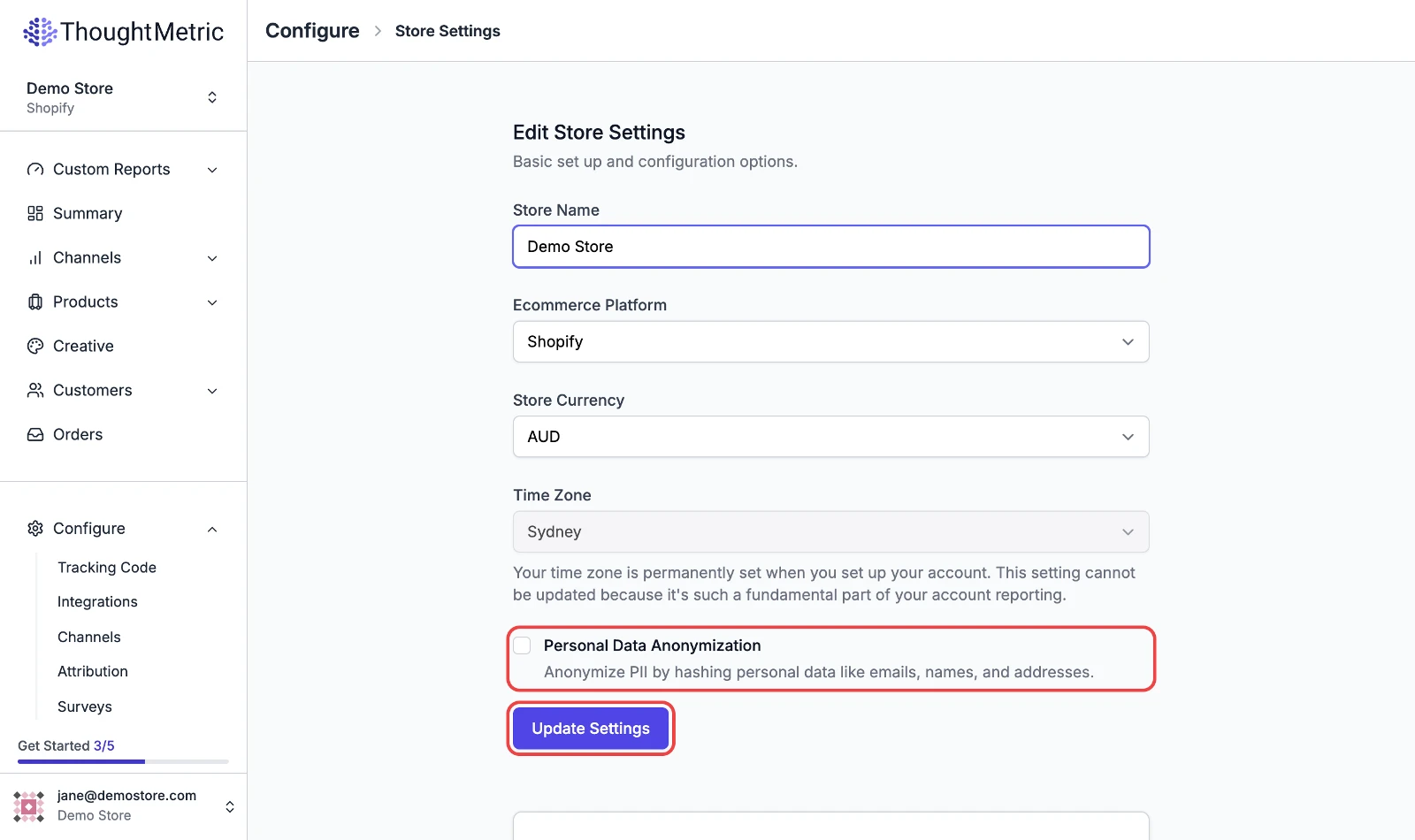
Enable PII anonymization
On the store settings page, check the Personal Data Anonymization box.
-
Reinstall the tracking pixel
Once the PII anonymization feature is enabled, you need to reinstall the ThoughtMetric tracking pixel on your site. Navigate to the tracking code settings page and follow the instructions to reinstall the tracking pixel.