
Number
Single metric value
Analytics
Track marketing performance
Measure ROAS, CPA, and more
Measure creative performance
Measure loyalty and LTV
Measure product performance
Data & Integrations
Bring your attribution data to Claude and ChatGPT
Integrate with all your e-commerce tools
Send conversion data back to ad platforms
Run "How did you hear about us?" surveys
Reporting
Organize Data Your Way
"Since switching to ThoughtMetric, we've been able to reallocate budget to the top-performing channels with confidence, which improved ROAS by 25%."
— Ninja MTB
Resources
Earn commission for referring your network
Become an agency partner
Tips, guides, and industry insights
Get Help
Documentation and support guides
Get in touch with our team
Comparisons
Simpler setup, easier to use
Faster time to value
Deeper insights, broader integrations
"We looked at a number of competitors in the space, but ultimately chose ThoughtMetric because of its easy-to-understand interface and the support offered during and after implementation."
— SportRx
Custom Reports
No more downloading CSVs to view the data you need. Build the report once and pull it up any time.
Instantly View Your Key Metrics From Your Most Important Channels
Build views that pull forward your most important performance signals.
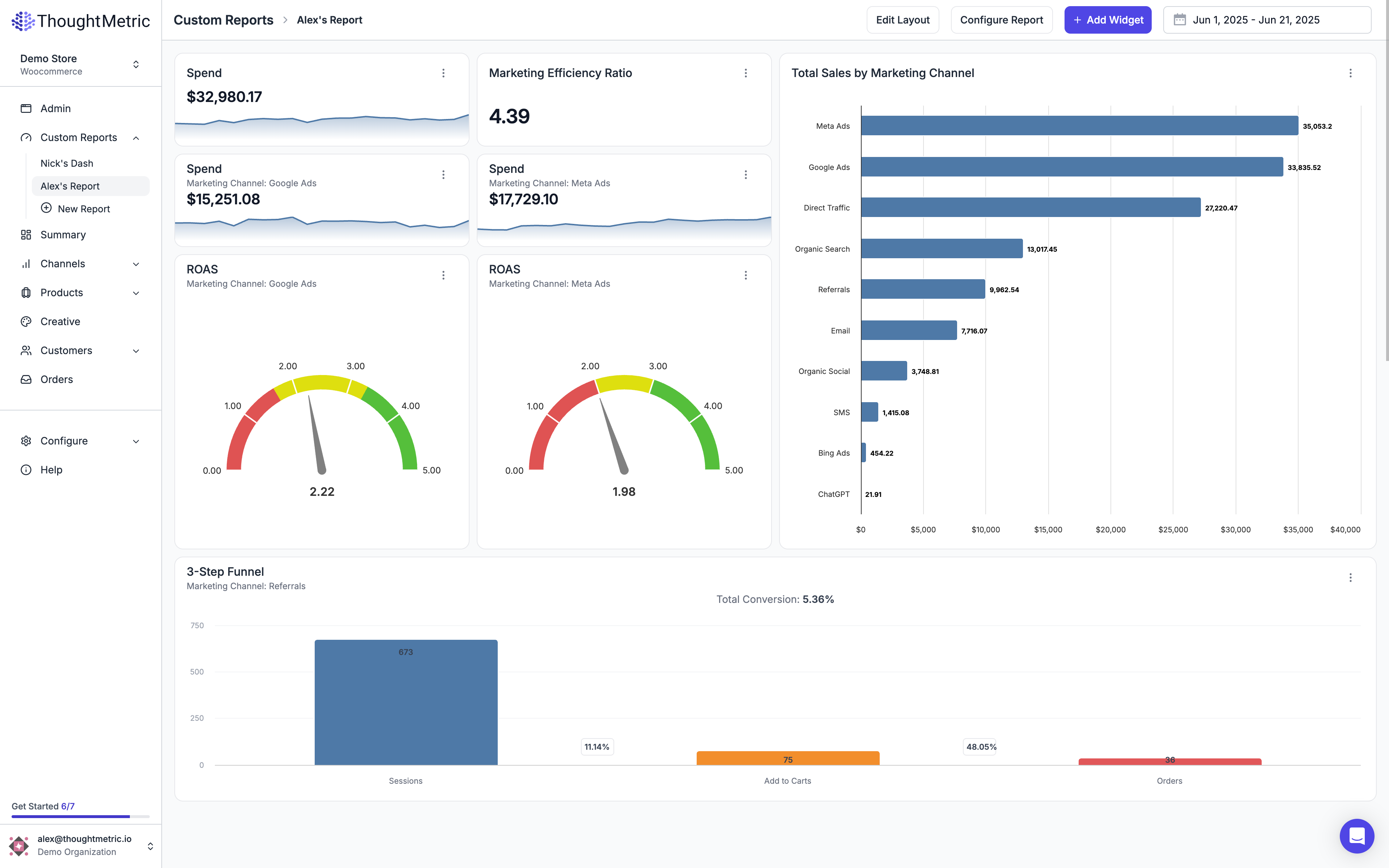
Views for Every Role On Your Team
Give every team member their own dashboard.
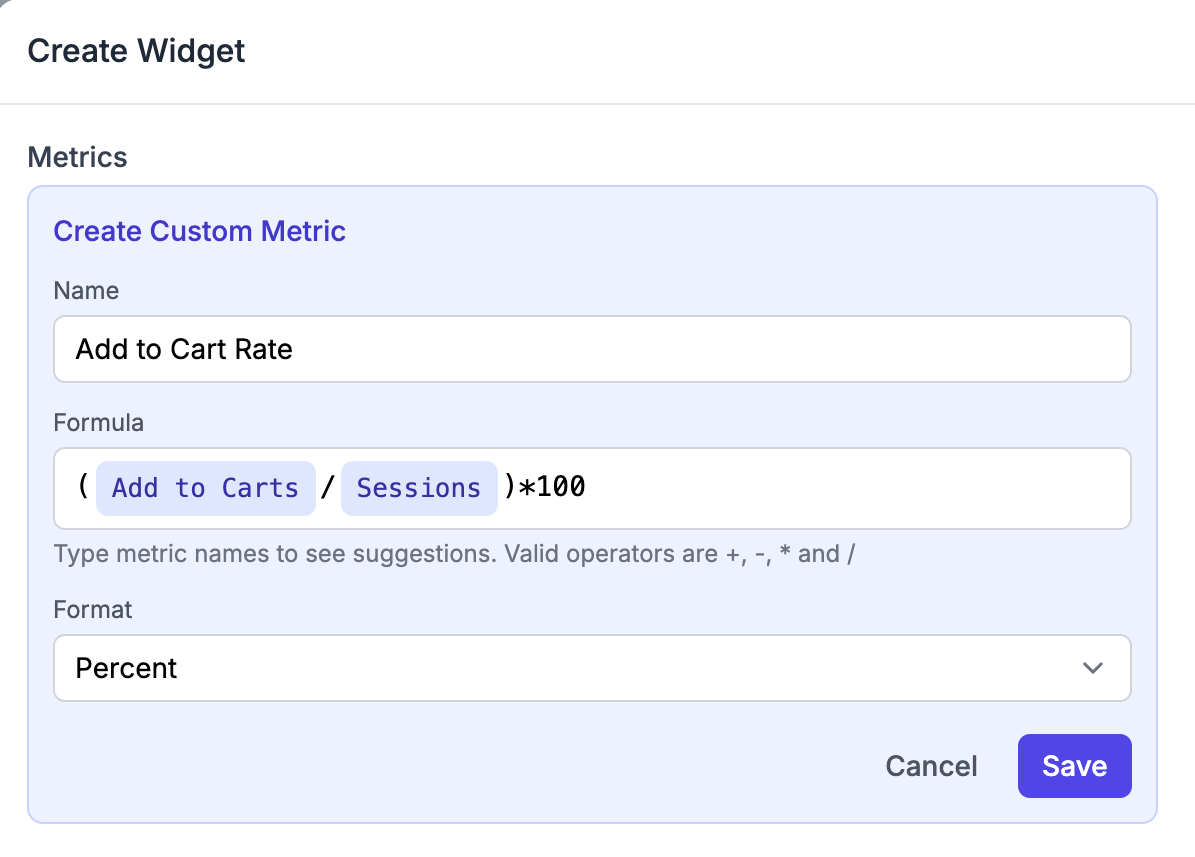
Build KPIs That Match How Your Business Works
Create custom KPIs with simple equations using existing ThoughtMetric data points.
Move, Resize, and Arrange Widgets Effortlessly
Customize every inch of your dashboard with intuitive editing tools.
Single metric value
Metric with trend
Rows and columns
Trends over time
Filled trend area
Compare categories
Compare horizontally
Show proportions
Progress indicator
Track progress to goal
Conversion analysis
Section heading
Choose Your Charts
Transform raw data into visuals that make insights easier to spot.
Yes, you can build your own dashboards with ThoughtMetric’s custom reports feature. Add the metrics, channels, filters and visual types you want and arrange them however you like.
Yes. You can build as many dashboards as you need, whether that’s one for each person on your team or a separate view for a specific channel, product line or client.
Yes. Build your own metrics with simple formulas using ThoughtMetric data, like add to cart rate or revenue minus tax.
Yes. Goal widgets show how close you are to a target, like a monthly revenue number.
You're spending on ads. We'll show you which ones matter.