
Ad tracking parameters
AppLovin tracking parameters
Add ThoughtMetric tracking parameters to your AppLovin ads.
For the most accurate tracking of your AppLovin ads, add the ThoughtMetric tracking parameters to your AppLovin ads by following this guide.
Tracking parameter
The ThoughtMetric tracking parameter for AppLovin ads is:
tmsrc=applovinad&tmcid={CAMPAIGN_ID}&tmid={CREATIVE_SET_ID}Add the parameter to your AppLovin ads
-
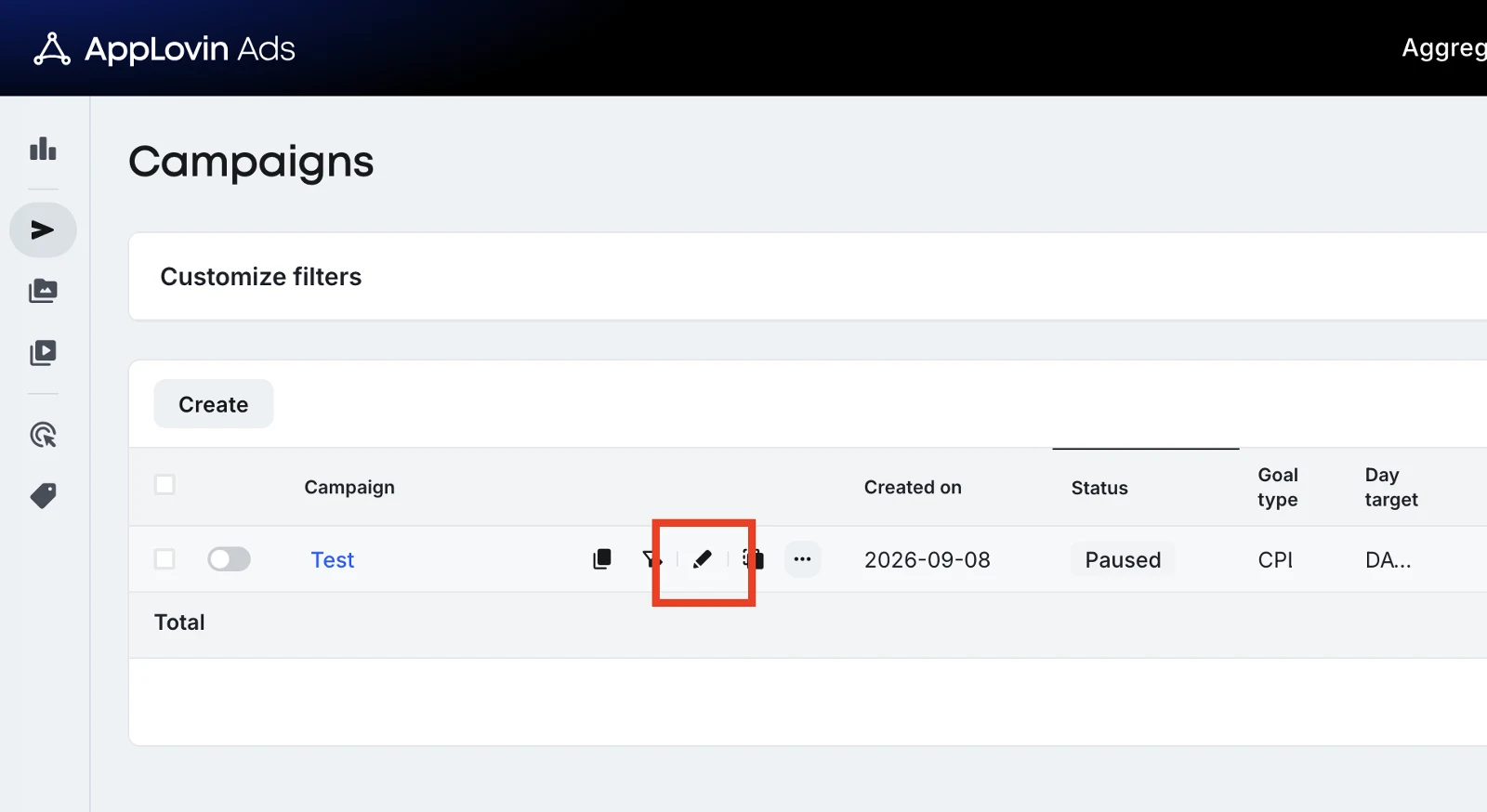
Edit your first campaign
In AppLovin, click the Edit pencil icon for your first campaign.
-
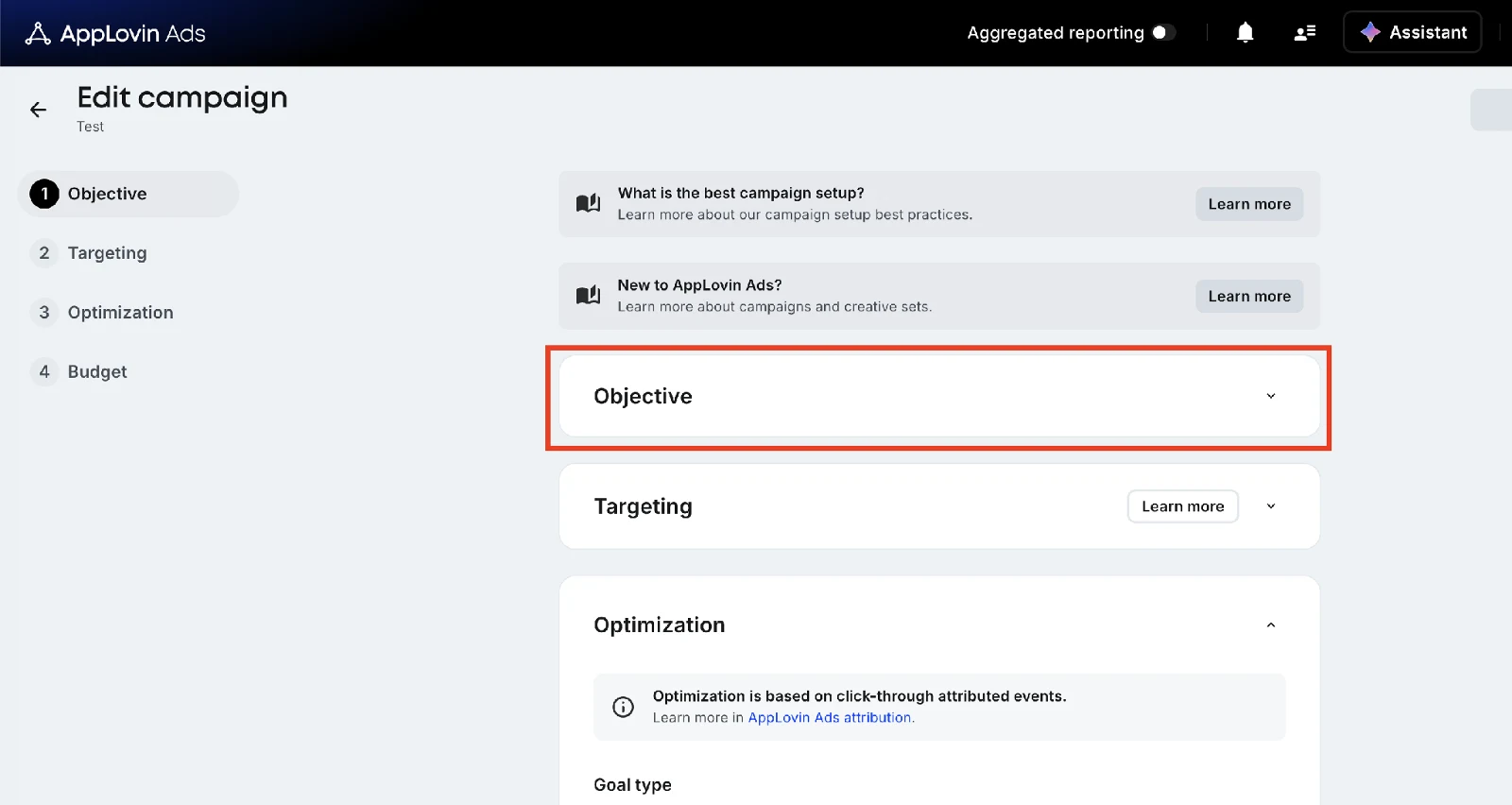
Open the Objective section
On the following screen, click the Objective section.
-
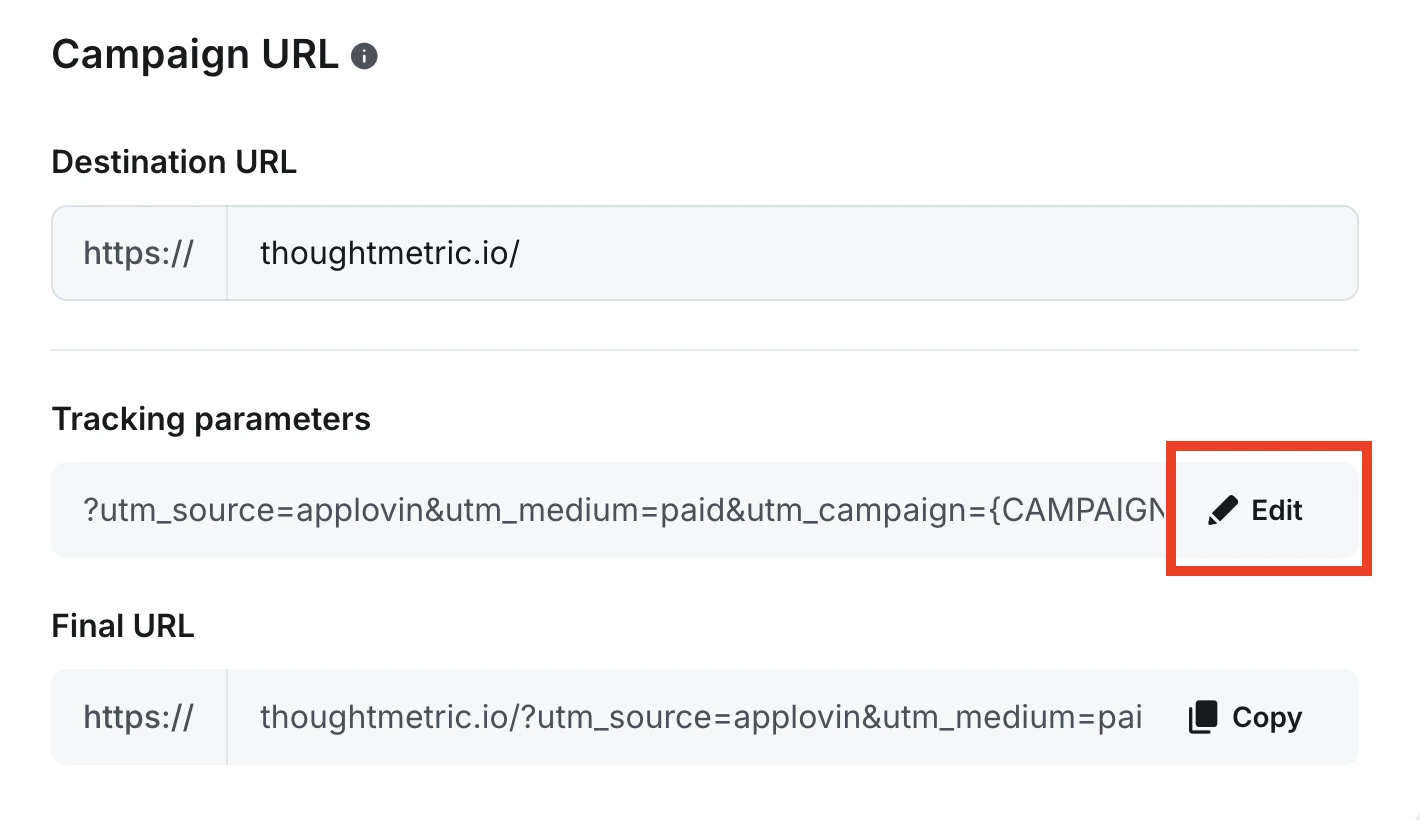
Edit the tracking parameters
Find the Tracking parameters control in the Campaign URL section and click Edit.
-
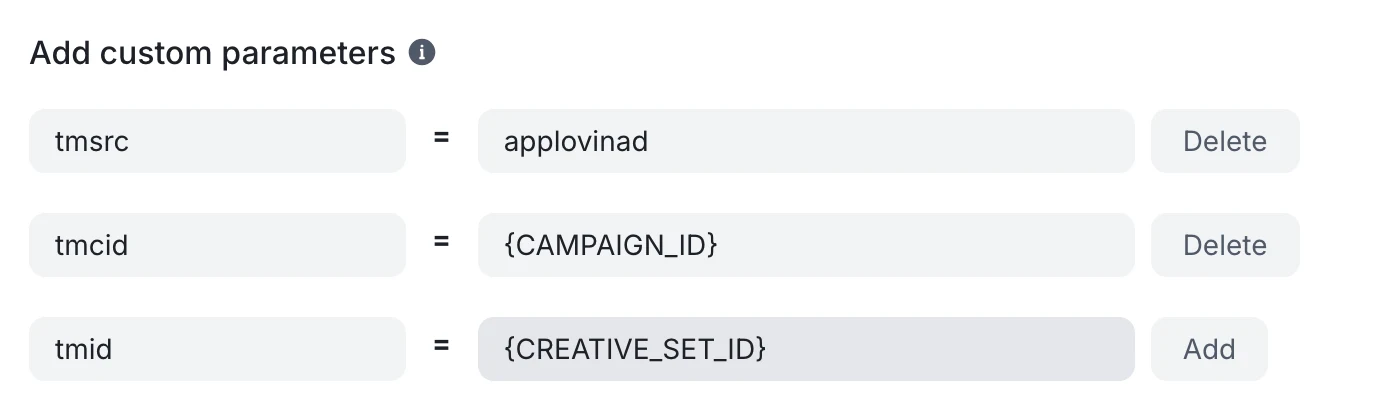
Add the custom parameters
Under Add custom parameters, click Add twice so that there are three pairs of fields, then fill them in with the tracking parameter values as shown:
tmsrc→applovinadtmcid→{CAMPAIGN_ID}tmid→{CREATIVE_SET_ID}
-
Repeat these steps for each additional campaign in your account.