
Install tracking
Install on Magento 2
Install the ThoughtMetric extension on a Magento 2 store.
ThoughtMetric integrates with Magento 2 via a plugin. A developer needs to install this plugin into the Magento source code by following the steps below.
-
Create a ThoughtMetric account
Go to the ThoughtMetric sign-up page and sign up.
-
Select the Magento platform
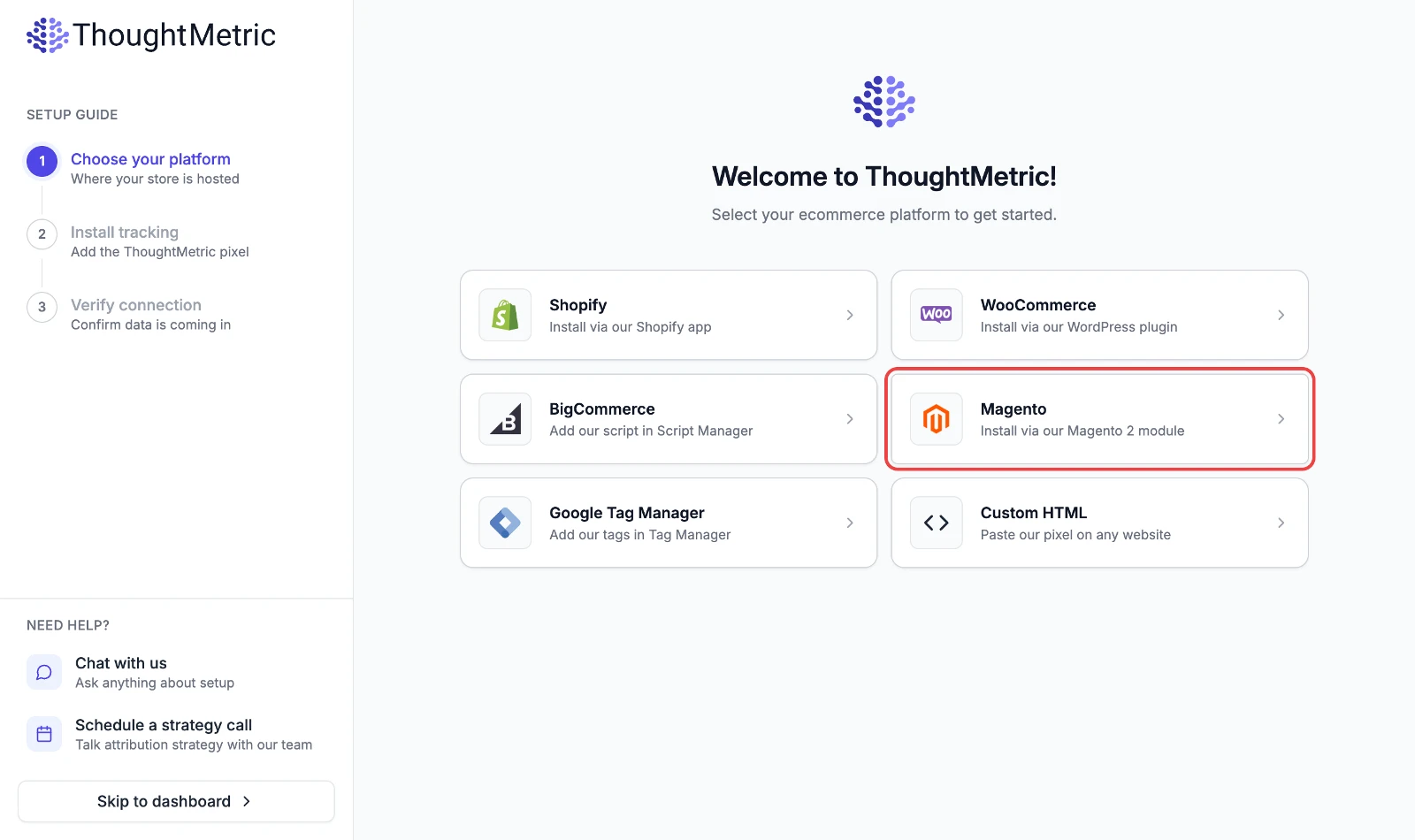
After you sign up, you are directed to an onboarding guide. Click the Magento button to view the installation instructions for that platform.
-
Navigate to your Magento 2 installation folder on your server.
-
Add the ThoughtMetric repository
Add the ThoughtMetric repository to the composer sources.
composer config repositories.thoughtmetric-magento git 'https://github.com/thoughtmetric/thought-magento.git' -
Install the ThoughtMetric plugin
composer require thoughtmetric/integration:dev-master -
Upgrade your Magento modules
bin/magento setup:upgrade -
Open the ThoughtMetric admin panel in Magento
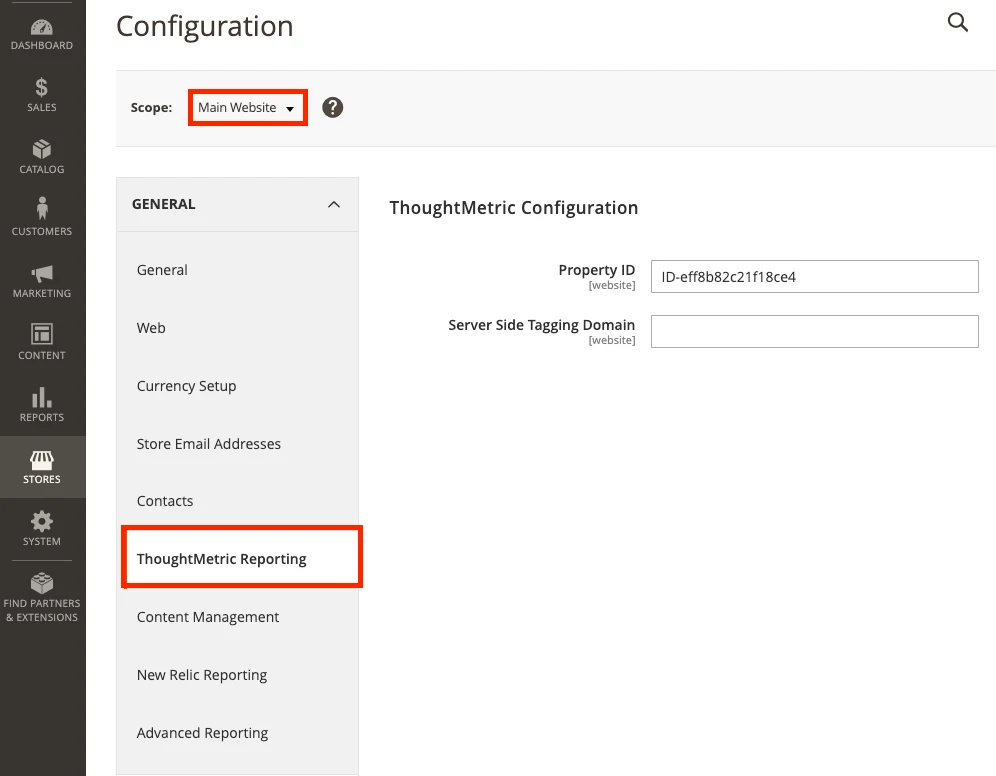
Navigate to Stores → Configuration, change the scope to the Main Website level, then click ThoughtMetric Reporting.
-
Enter your Property ID
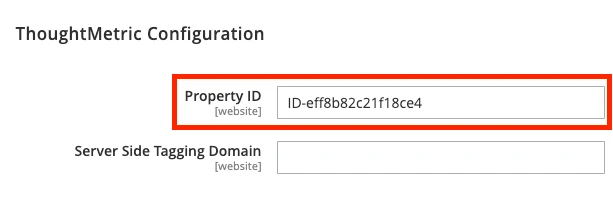
Paste your ThoughtMetric Property ID into the Property ID configuration in your Magento settings and click Save.
-
Clear the Magento cache
Clear the cache to make sure the changes apply.
bin/magento cache:flush